> ## Documentation Index
> Fetch the complete documentation index at: https://atmos.oxygen.wiki/llms.txt
> Use this file to discover all available pages before exploring further.
# Settings
> Manage application access, local backups, interface language, and connection routing
## Overview
Open **Settings** from the left sidebar. Settings are divided into **Main** and **Connection**.
## Main
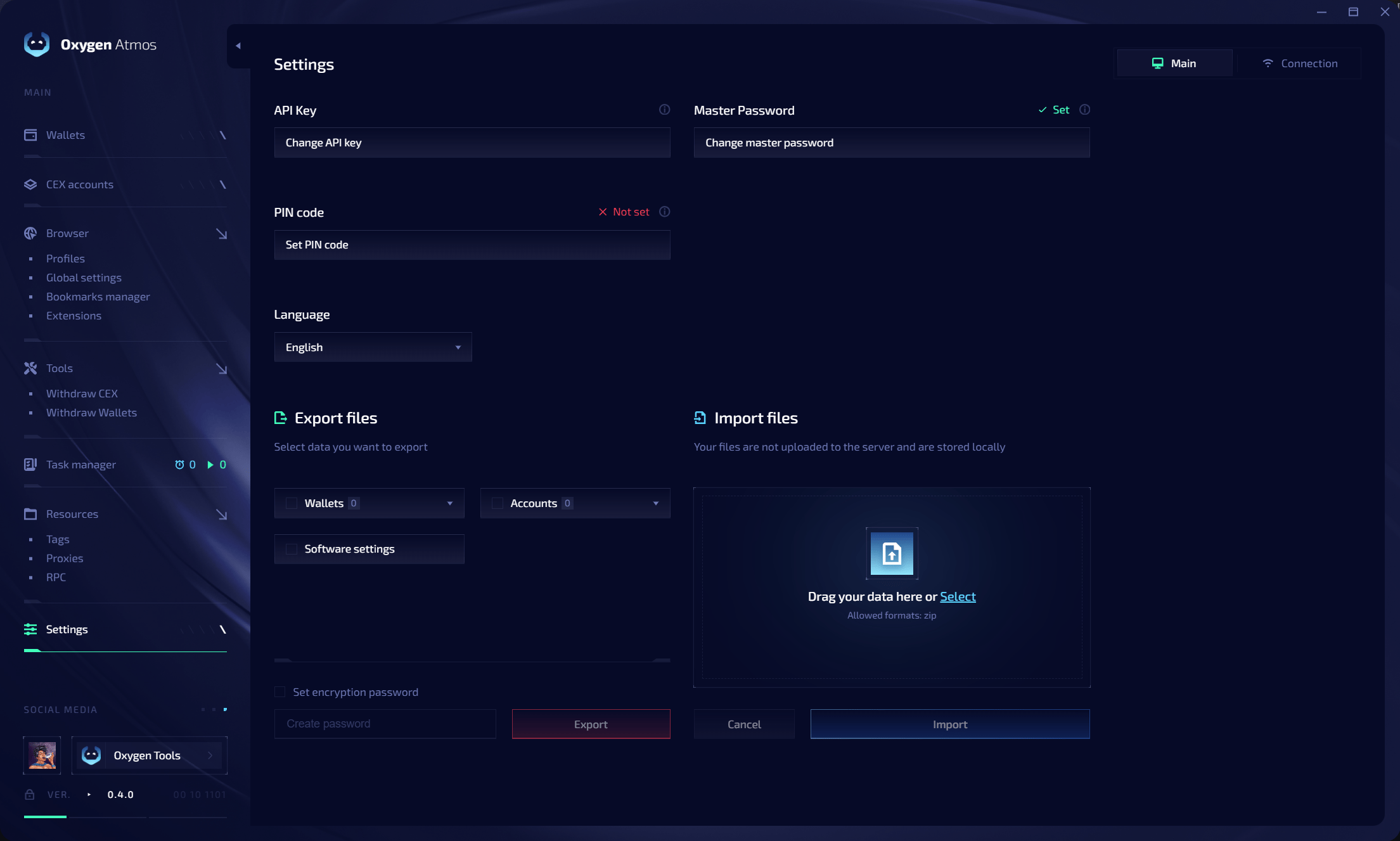 ### Access and security
| Setting | Description |
| ------------------- | --------------------------------------------------------------------- |
| **API Key** | Replace the API key linked to Oxygen Atmos |
| **Master Password** | Change the password used to unlock and encrypt local application data |
| **PIN code** | Set or change the PIN used for sensitive actions |
| **Language** | Change the Oxygen Atmos interface language |
### Export files
Select the data to include in a ZIP export:
| Category | Contents |
| --------------------- | ------------------------------------------------------------- |
| **Wallets** | Wallet data, tags, and personalization |
| **Accounts** | Exchange account data, tags, and personalization |
| **Software settings** | RPC configuration, extensions, and other application settings |
Enable **Set encryption password** to protect the exported archive with a password.
### Import files
Drag a supported ZIP export into the import area or click **Select**. Imported files are processed locally and are not uploaded to a server.
## Connection
Use **Settings → Connection** when access to Oxygen services or third-party resources is restricted on your network.
### Access and security
| Setting | Description |
| ------------------- | --------------------------------------------------------------------- |
| **API Key** | Replace the API key linked to Oxygen Atmos |
| **Master Password** | Change the password used to unlock and encrypt local application data |
| **PIN code** | Set or change the PIN used for sensitive actions |
| **Language** | Change the Oxygen Atmos interface language |
### Export files
Select the data to include in a ZIP export:
| Category | Contents |
| --------------------- | ------------------------------------------------------------- |
| **Wallets** | Wallet data, tags, and personalization |
| **Accounts** | Exchange account data, tags, and personalization |
| **Software settings** | RPC configuration, extensions, and other application settings |
Enable **Set encryption password** to protect the exported archive with a password.
### Import files
Drag a supported ZIP export into the import area or click **Select**. Imported files are processed locally and are not uploaded to a server.
## Connection
Use **Settings → Connection** when access to Oxygen services or third-party resources is restricted on your network.
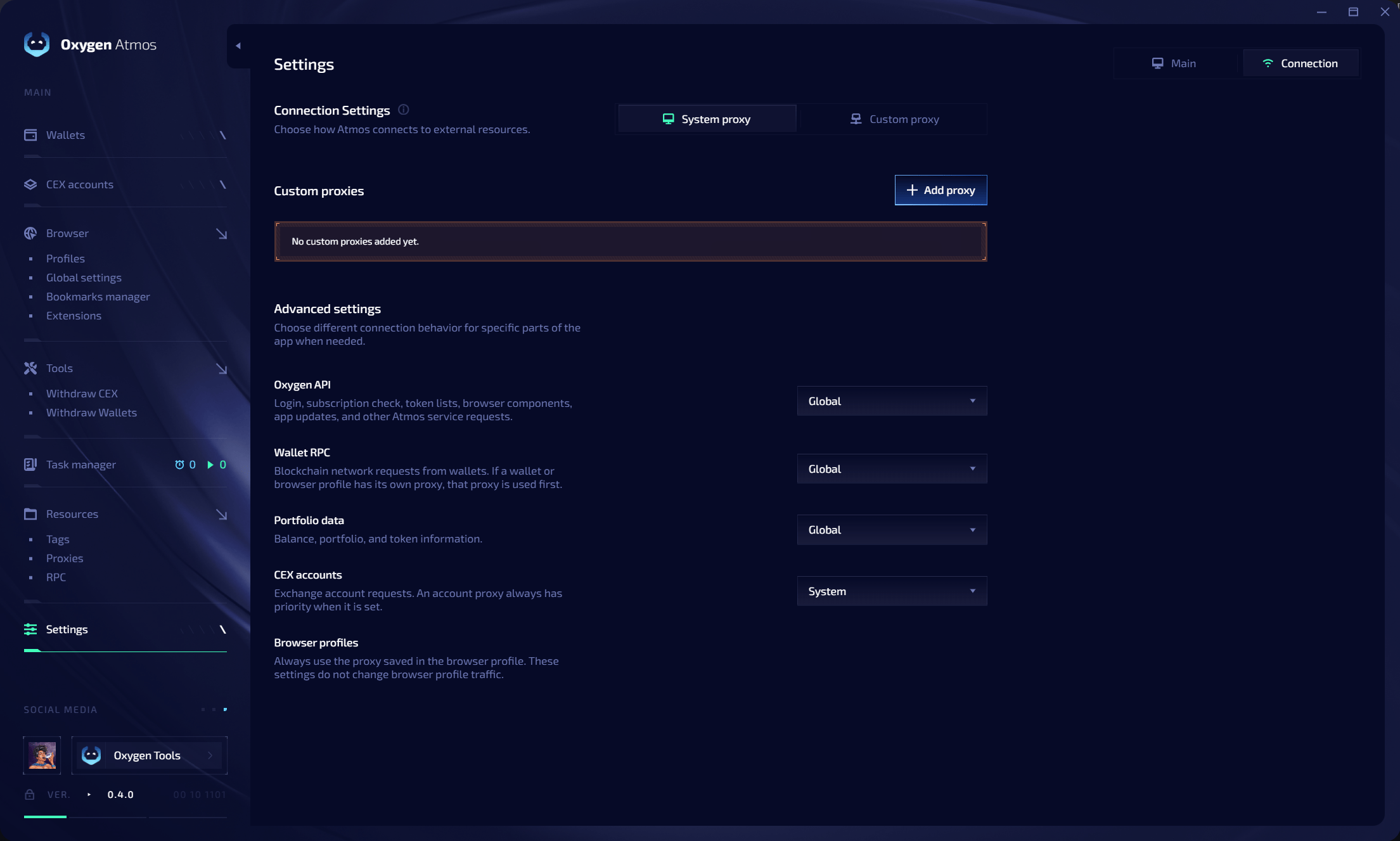 ### Connection source
| Mode | Description |
| ---------------- | ----------------------------------------------------- |
| **System proxy** | Use the proxy configured by the operating system |
| **Custom proxy** | Use a proxy added directly in the Connection settings |
Click **Add proxy** to save a custom connection proxy.
### Advanced routing
Choose connection behavior separately for each part of Oxygen Atmos:
| Area | Traffic | Priority behavior |
| -------------------- | ------------------------------------------------------------------------------------------------------------------- | --------------------------------------------------------------------- |
| **Oxygen API** | Login, subscription checks, token lists, browser components, application updates, and other Oxygen service requests | Uses the selected connection route |
| **Wallet RPC** | Blockchain network requests from wallets | A wallet or linked browser profile proxy is used first when available |
| **Portfolio data** | Balance, portfolio, and token information | Uses the selected connection route |
| **CEX accounts** | Exchange account requests | The proxy assigned to the exchange account always has priority |
| **Browser profiles** | Browser profile traffic | Always uses the proxy saved in the profile |
Connection settings do not replace browser profile proxies. Each browser profile continues to use its own saved proxy.
## Related resources
Configure browser defaults, WebRTC, GPU spoofing, and startup tabs.
Install extensions globally or route them by tags.
Manage tags shared across Oxygen Atmos.
Configure RPC endpoints and monitor network health.
### Connection source
| Mode | Description |
| ---------------- | ----------------------------------------------------- |
| **System proxy** | Use the proxy configured by the operating system |
| **Custom proxy** | Use a proxy added directly in the Connection settings |
Click **Add proxy** to save a custom connection proxy.
### Advanced routing
Choose connection behavior separately for each part of Oxygen Atmos:
| Area | Traffic | Priority behavior |
| -------------------- | ------------------------------------------------------------------------------------------------------------------- | --------------------------------------------------------------------- |
| **Oxygen API** | Login, subscription checks, token lists, browser components, application updates, and other Oxygen service requests | Uses the selected connection route |
| **Wallet RPC** | Blockchain network requests from wallets | A wallet or linked browser profile proxy is used first when available |
| **Portfolio data** | Balance, portfolio, and token information | Uses the selected connection route |
| **CEX accounts** | Exchange account requests | The proxy assigned to the exchange account always has priority |
| **Browser profiles** | Browser profile traffic | Always uses the proxy saved in the profile |
Connection settings do not replace browser profile proxies. Each browser profile continues to use its own saved proxy.
## Related resources
Configure browser defaults, WebRTC, GPU spoofing, and startup tabs.
Install extensions globally or route them by tags.
Manage tags shared across Oxygen Atmos.
Configure RPC endpoints and monitor network health.