> ## Documentation Index
> Fetch the complete documentation index at: https://atmos.oxygen.wiki/llms.txt
> Use this file to discover all available pages before exploring further.
# Extensions
> Install and route browser extensions globally or by profile tags
## Overview
Open **Browser → Extensions** to manage extensions for [Oxidium](/browser-profiles/oxidium) profiles.
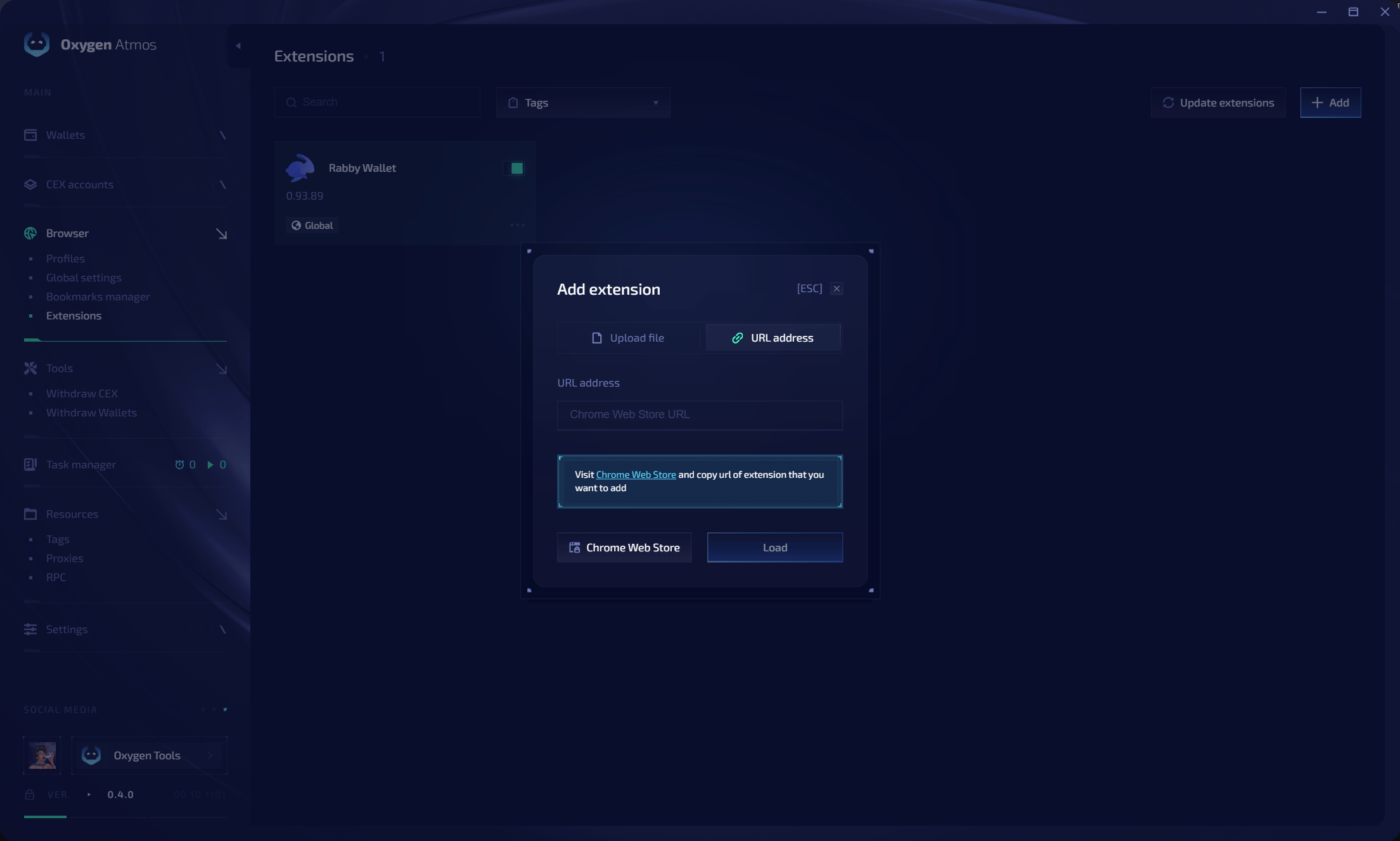 The extension list shows each extension's name, version, enabled state, and loading mode. Use **Search** or the **Tags** filter to find an extension.
## Add an extension
Click **Add**.
Select one of these methods:
* **Upload file** — upload a supported extension package
* **URL address** — paste the extension's Chrome Web Store URL
Click **Load** and wait for the extension to appear in the list.
Enable the extension globally or assign profile tags.
## Loading modes
| Mode | Behavior |
| ------------- | ------------------------------------------------------------- |
| **Global** | Load the extension in every profile |
| **Tag-based** | Load it only in profiles that share at least one assigned tag |
| **Disabled** | Keep the extension installed without loading it in profiles |
## Update or remove extensions
* Click **Update extensions** to update installed extensions.
* Use the extension action menu to change its assignment or remove it.
* Relaunch running profiles after changing extension files, tags, or loading mode.
**Rabby Wallet** is the built-in extension used for wallet integration. Private keys stay inside Oxygen Atmos and are not exposed to the browser runtime.
The extension list shows each extension's name, version, enabled state, and loading mode. Use **Search** or the **Tags** filter to find an extension.
## Add an extension
Click **Add**.
Select one of these methods:
* **Upload file** — upload a supported extension package
* **URL address** — paste the extension's Chrome Web Store URL
Click **Load** and wait for the extension to appear in the list.
Enable the extension globally or assign profile tags.
## Loading modes
| Mode | Behavior |
| ------------- | ------------------------------------------------------------- |
| **Global** | Load the extension in every profile |
| **Tag-based** | Load it only in profiles that share at least one assigned tag |
| **Disabled** | Keep the extension installed without loading it in profiles |
## Update or remove extensions
* Click **Update extensions** to update installed extensions.
* Use the extension action menu to change its assignment or remove it.
* Relaunch running profiles after changing extension files, tags, or loading mode.
**Rabby Wallet** is the built-in extension used for wallet integration. Private keys stay inside Oxygen Atmos and are not exposed to the browser runtime.