> ## Documentation Index
> Fetch the complete documentation index at: https://atmos.oxygen.wiki/llms.txt
> Use this file to discover all available pages before exploring further.
# Installation
> Download Oxygen Atmos, get access through Telegram, and complete first-time setup
## Availability
Oxygen Atmos is available for **Windows** and **macOS**.
## System requirements
| Requirement | Minimum | Recommended |
| ----------- | ------------------- | ------------------------------ |
| **OS** | Windows 10 or macOS | Windows 11 or the latest macOS |
| **RAM** | 4 GB | 8 GB+ |
| **Disk** | 2 GB free space | SSD with 10 GB+ |
| **CPU** | Dual-core | Quad-core+ |
## Download
The main download source is the Oxygen website. The same installer links are also available in the Telegram bot.
Open the [download page](https://wallet.oxygen.tools/en/download) and download the installer for your operating system.
You can also open the [Telegram bot](https://t.me/OduLandBot?start=r_oxygen_x), run `/start`, choose **💎 Oxygen.Atmos**, and use the **Windows | MacOS** download links.
Open the downloaded installer and follow the on-screen instructions.
Open Oxygen Atmos to begin the first-time setup.
## Get access in Telegram
Oxygen Atmos access, subscription status, and API key are managed through the [Telegram bot](https://t.me/OduLandBot?start=r_oxygen_x).
The Telegram bot interface is currently available in Russian. Button names below are shown exactly as they appear in the bot.
Open the [Telegram bot](https://t.me/OduLandBot?start=r_oxygen_x) and run `/start`.
Choose **💎 Oxygen.Atmos** from the main menu.
You can start with the free plan, which includes **10 browser profiles**. Choose a paid plan in the bot only if you need a higher profile limit.
Copy the **Персональный API ключ** shown in the Oxygen.Atmos section. You will need it on first launch.
## First-time setup
When you launch Oxygen Atmos for the first time, you go through a two-step setup:
Paste the API key from the [Telegram bot](https://t.me/OduLandBot?start=r_oxygen_x). This activates the application.
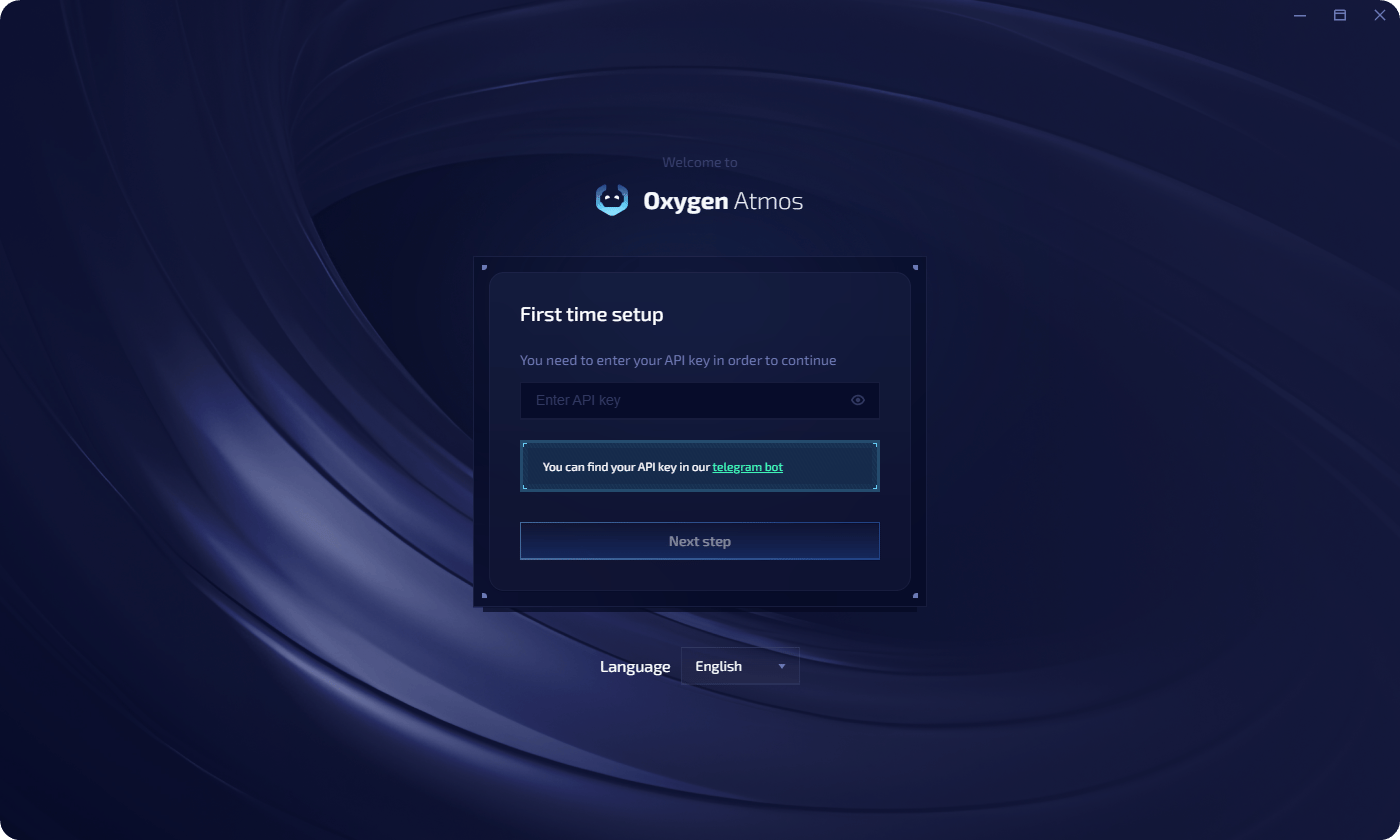 Create a master password to encrypt all sensitive data (private keys, API keys, settings) stored locally on your machine. You can also choose **Continue without encryption**, but this is not recommended.
All data is stored locally — Oxygen Atmos does not send your keys or credentials to external servers.
## Auto-updates
When a new version is available, you'll see an in-app notification. To update, restart Oxygen Atmos.
## Reset application data when the vault is locked
Oxygen Atmos does not store or recover your master password. If the vault is locked and you cannot unlock it with the master password or PIN, click **Forgot password?** and follow **reset the app**.
Create a master password to encrypt all sensitive data (private keys, API keys, settings) stored locally on your machine. You can also choose **Continue without encryption**, but this is not recommended.
All data is stored locally — Oxygen Atmos does not send your keys or credentials to external servers.
## Auto-updates
When a new version is available, you'll see an in-app notification. To update, restart Oxygen Atmos.
## Reset application data when the vault is locked
Oxygen Atmos does not store or recover your master password. If the vault is locked and you cannot unlock it with the master password or PIN, click **Forgot password?** and follow **reset the app**.
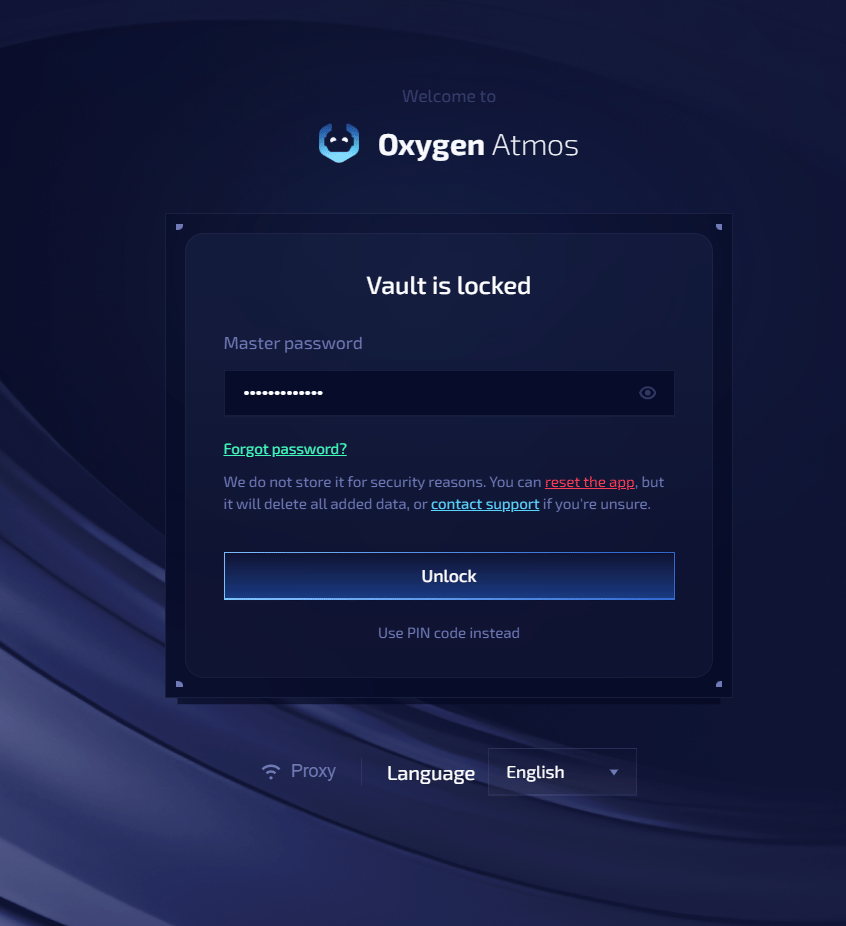 Resetting the application deletes all data you added to Oxygen Atmos on this device. If you are unsure, contact support before continuing. You can import a previously exported backup after setting up the application again.
## Next steps
Set up your first browser profile with a unique fingerprint.
Import and manage your crypto wallets.
Resetting the application deletes all data you added to Oxygen Atmos on this device. If you are unsure, contact support before continuing. You can import a previously exported backup after setting up the application again.
## Next steps
Set up your first browser profile with a unique fingerprint.
Import and manage your crypto wallets.