> ## Documentation Index
> Fetch the complete documentation index at: https://atmos.oxygen.wiki/llms.txt
> Use this file to discover all available pages before exploring further.
# Tags
> Create and manage shared tags for wallets, browser profiles, exchange accounts, extensions, and bookmarks
## Overview
Open **Resources → Tags** to manage tags shared across Oxygen Atmos.
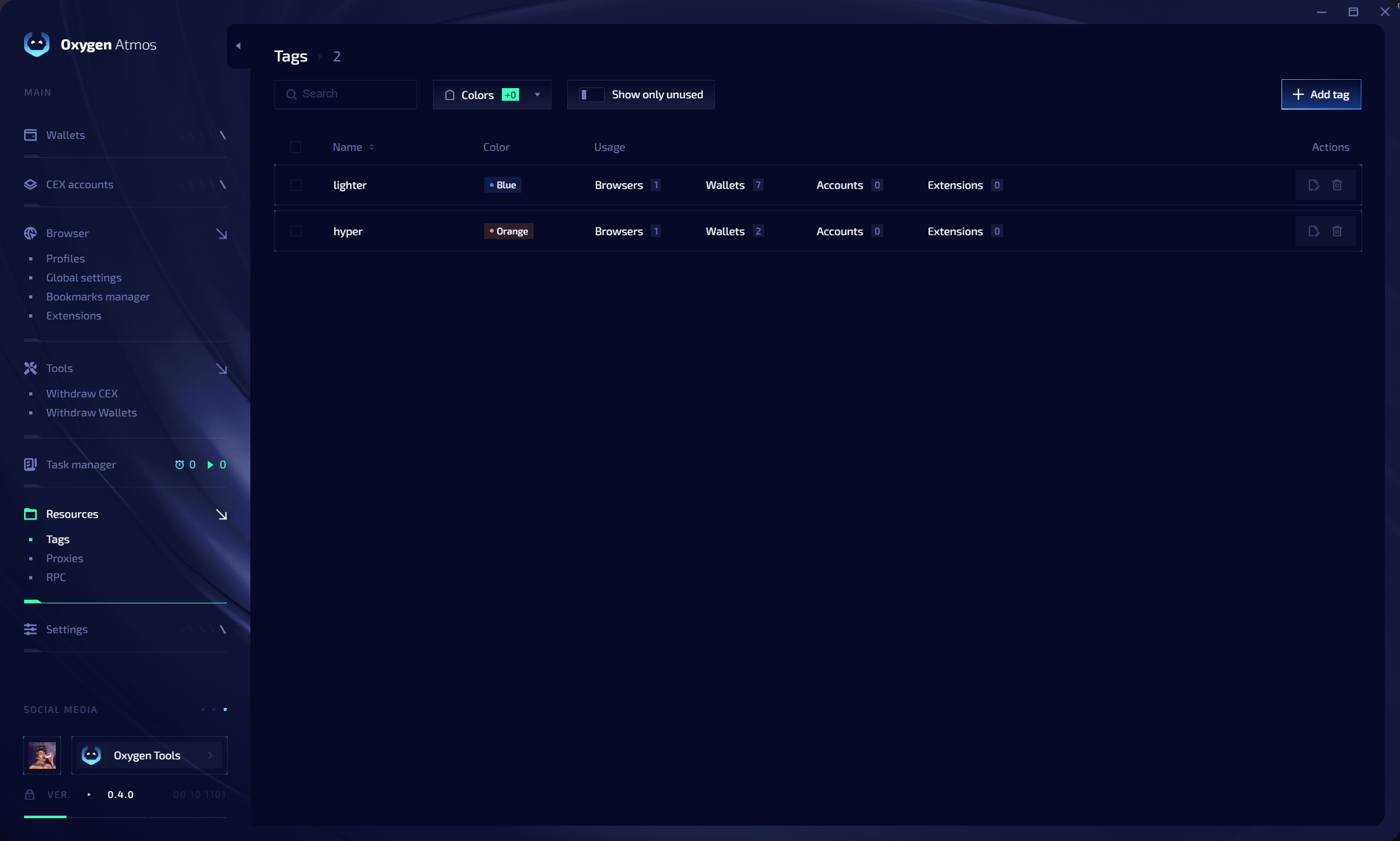 A tag created in one module is available to wallets, browser profiles, exchange accounts, extensions, and bookmarks.
## Tag table
| Column | Description |
| ----------- | ------------------------------------------------------------------------------ |
| **Name** | Tag name |
| **Color** | Visual color assigned to the tag |
| **Usage** | Number of browsers, wallets, accounts, extensions, and bookmarks using the tag |
| **Actions** | Edit or delete the tag |
Use **Search**, **Colors**, and **Show only unused** to filter the table.
## Create a tag
Click **Add tag**, enter a name, choose a color, and save it. You can then assign the tag while importing wallets, creating profiles, adding exchange accounts, configuring extensions, or routing bookmarks to profile groups.
## Edit or delete tags
* Edit a tag to update its name or color everywhere it is used.
* Select one or more tags to delete them.
Deleting a tag removes it from every wallet, profile, account, extension, and bookmark where it is assigned. It does not delete those items.
A tag created in one module is available to wallets, browser profiles, exchange accounts, extensions, and bookmarks.
## Tag table
| Column | Description |
| ----------- | ------------------------------------------------------------------------------ |
| **Name** | Tag name |
| **Color** | Visual color assigned to the tag |
| **Usage** | Number of browsers, wallets, accounts, extensions, and bookmarks using the tag |
| **Actions** | Edit or delete the tag |
Use **Search**, **Colors**, and **Show only unused** to filter the table.
## Create a tag
Click **Add tag**, enter a name, choose a color, and save it. You can then assign the tag while importing wallets, creating profiles, adding exchange accounts, configuring extensions, or routing bookmarks to profile groups.
## Edit or delete tags
* Edit a tag to update its name or color everywhere it is used.
* Select one or more tags to delete them.
Deleting a tag removes it from every wallet, profile, account, extension, and bookmark where it is assigned. It does not delete those items.