> ## Documentation Index
> Fetch the complete documentation index at: https://atmos.oxygen.wiki/llms.txt
> Use this file to discover all available pages before exploring further.
# Progress tracking
> Monitor task execution, view logs, and recover from failed operations
## View task progress
In the **Processing** or **Archive** tab, click **Open** on a task to view execution details.
## Task logs
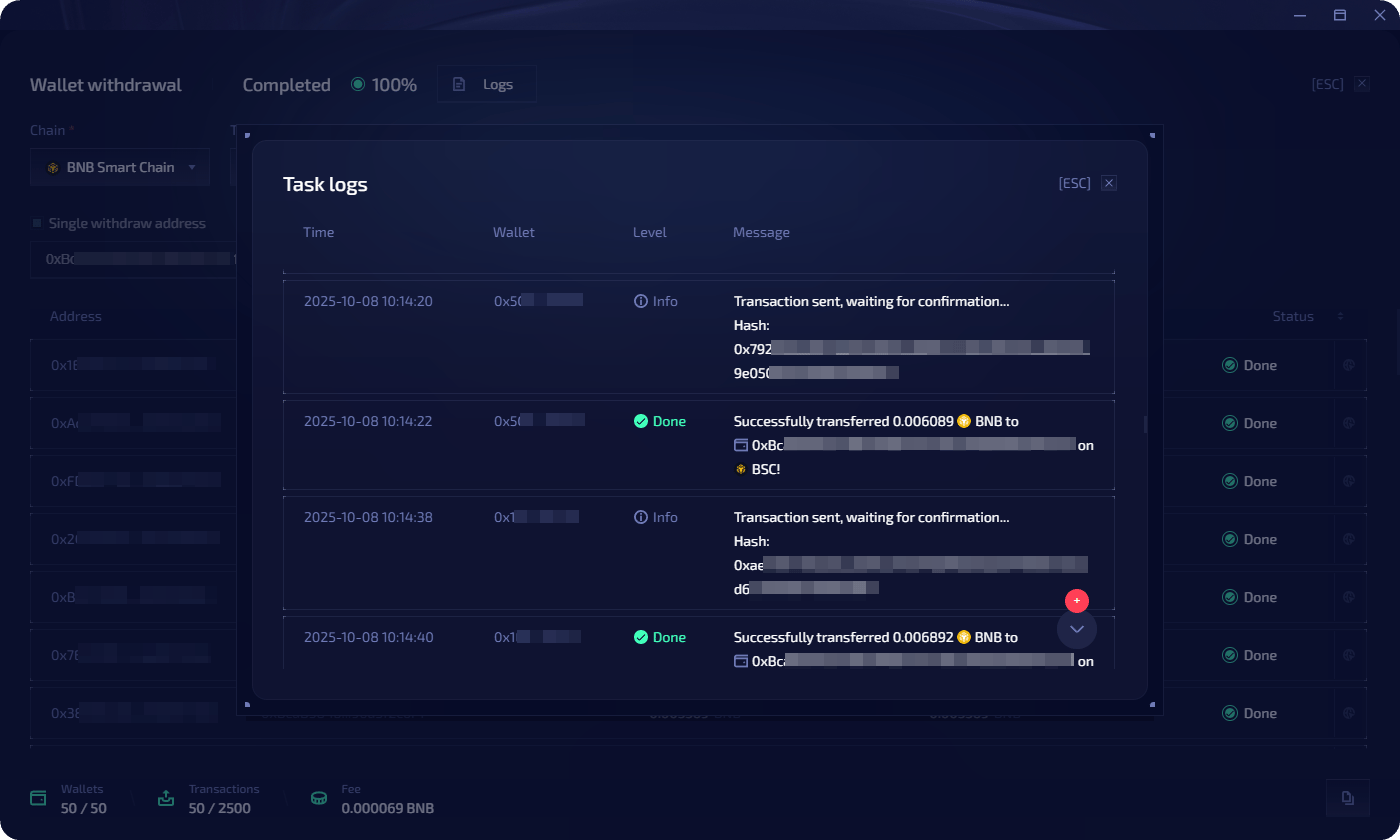
Click **Logs** to see detailed execution logs with timestamped entries for each wallet operation. Each log entry shows:
* Transaction status (success, pending, error) with color-coded indicators
* Status messages (e.g. "Transaction sent, waiting for confirmation", "Successfully transferred X to address")
* Expandable details per step
 ## Task statuses
| Status | Description |
| ----------------------- | ------------------------------------ |
| **Scheduled** | Waiting for scheduled launch time |
| **Processing** | Currently executing |
| **Queued** | Wallet waiting to be processed |
| **Completed** | All operations finished successfully |
| **Partially completed** | Some wallets succeeded, some failed |
| **Failed Error** | Task failed with errors |
| **Cancelled** | Manually cancelled |
## Error recovery
### Restart unsuccessful
When a task has the status **Partially completed**, click **Restart unsuccessful** to re-run the task only for wallets with **Queued** or **Error** status.
### Copy wallets for targeted fixes
When some wallets fail (e.g. insufficient gas), you can create a targeted top-up task:
In the task view, click the **copy icon** in the bottom-right corner.
Choose one of:
| Option | Description |
| ---------------------------- | ---------------------------------------------- |
| **Use as template** | Copy all task parameters into a new task |
| **Copy all wallets** | Copy all wallets into a new task |
| **Copy wallets with errors** | Copy only error-status wallets into a new task |
Set up parameters for the new task (e.g. send native token to failed wallets), then launch or postpone.
## Task statuses
| Status | Description |
| ----------------------- | ------------------------------------ |
| **Scheduled** | Waiting for scheduled launch time |
| **Processing** | Currently executing |
| **Queued** | Wallet waiting to be processed |
| **Completed** | All operations finished successfully |
| **Partially completed** | Some wallets succeeded, some failed |
| **Failed Error** | Task failed with errors |
| **Cancelled** | Manually cancelled |
## Error recovery
### Restart unsuccessful
When a task has the status **Partially completed**, click **Restart unsuccessful** to re-run the task only for wallets with **Queued** or **Error** status.
### Copy wallets for targeted fixes
When some wallets fail (e.g. insufficient gas), you can create a targeted top-up task:
In the task view, click the **copy icon** in the bottom-right corner.
Choose one of:
| Option | Description |
| ---------------------------- | ---------------------------------------------- |
| **Use as template** | Copy all task parameters into a new task |
| **Copy all wallets** | Copy all wallets into a new task |
| **Copy wallets with errors** | Copy only error-status wallets into a new task |
Set up parameters for the new task (e.g. send native token to failed wallets), then launch or postpone.