> ## Documentation Index
> Fetch the complete documentation index at: https://atmos.oxygen.wiki/llms.txt
> Use this file to discover all available pages before exploring further.
# Wallet withdrawal
> Send tokens from your wallets to linked addresses or a single destination
## Overview
Wallet withdrawal lets you send tokens from your wallets in bulk — either to each wallet's linked withdrawal address or to a single common address.
## Parameters
| Parameter | Description |
| --------------------------- | --------------------------------------------------------------------- |
| **Chain** | Blockchain network (e.g. Ethereum) |
| **Tokens** | One or more tokens to send (multi-select) |
| **Wallets** | Source wallets |
| **Single withdraw address** | Optional — send all tokens to one address instead of linked addresses |
### Token selection
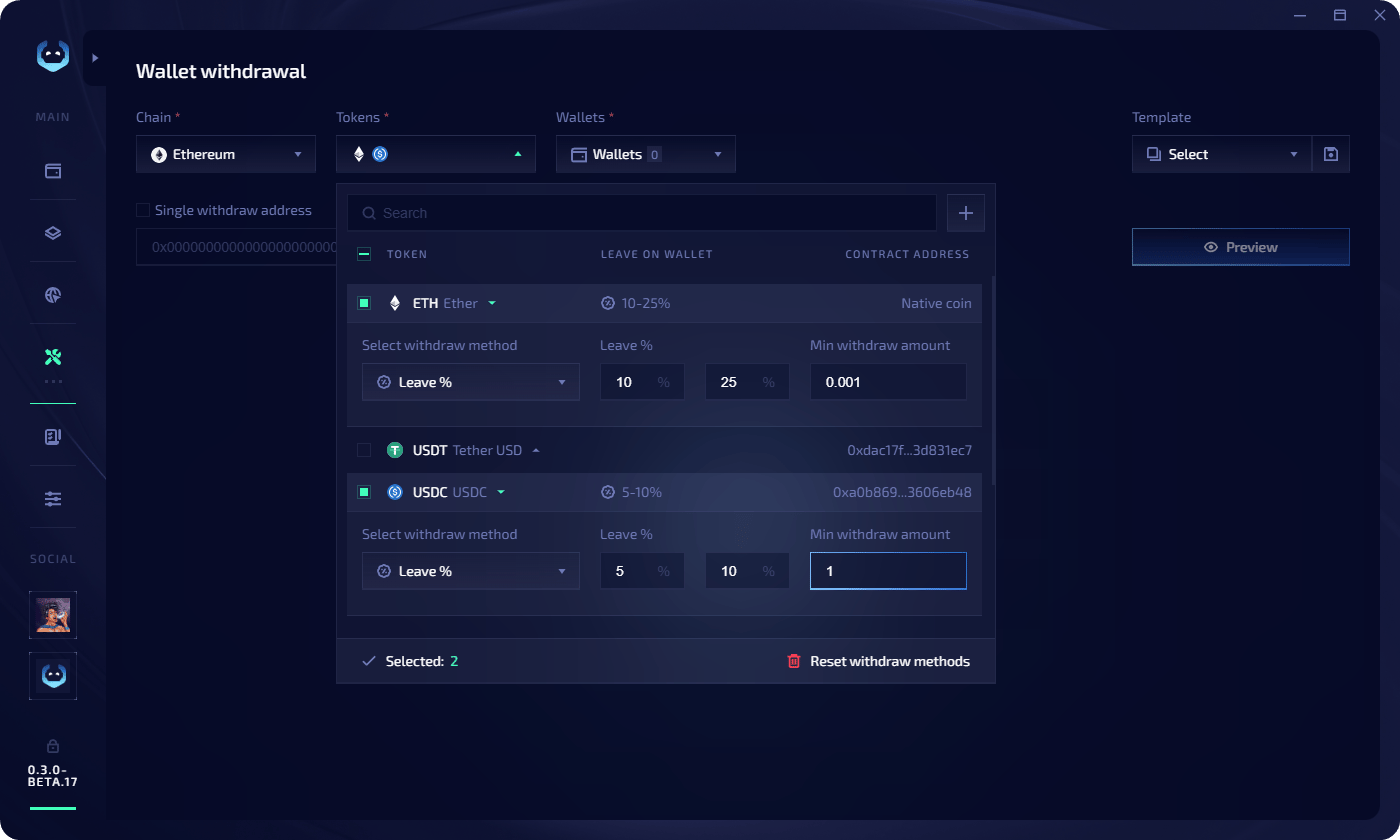
After selecting a chain, the token panel shows available tokens with their amounts. For each token you can configure the **withdrawal method** individually.
 ## Task config
Configure execution settings before launching:
| Setting | Description |
| ----------------------------- | -------------------------------------------------------- |
| **Workers** | Number of parallel withdrawal threads |
| **Max retries** | How many times to retry a failed withdrawal |
| **Delay between withdrawals** | Min and max delay in seconds |
| **Wait for gas less than** | Only execute when gas price is below this gwei threshold |
| **Run in random order** | Randomize the order wallets are processed |
## Execute a withdrawal
Add wallets in the [Wallet Manager](/wallet-manager/about-wallet-manager).
Set the chain, tokens, withdrawal methods, source wallets, and optional single address.
Click **Preview**. Review per-wallet details: wallet address, withdraw address, current balance, and withdrawal amount for each token.
## Task config
Configure execution settings before launching:
| Setting | Description |
| ----------------------------- | -------------------------------------------------------- |
| **Workers** | Number of parallel withdrawal threads |
| **Max retries** | How many times to retry a failed withdrawal |
| **Delay between withdrawals** | Min and max delay in seconds |
| **Wait for gas less than** | Only execute when gas price is below this gwei threshold |
| **Run in random order** | Randomize the order wallets are processed |
## Execute a withdrawal
Add wallets in the [Wallet Manager](/wallet-manager/about-wallet-manager).
Set the chain, tokens, withdrawal methods, source wallets, and optional single address.
Click **Preview**. Review per-wallet details: wallet address, withdraw address, current balance, and withdrawal amount for each token.
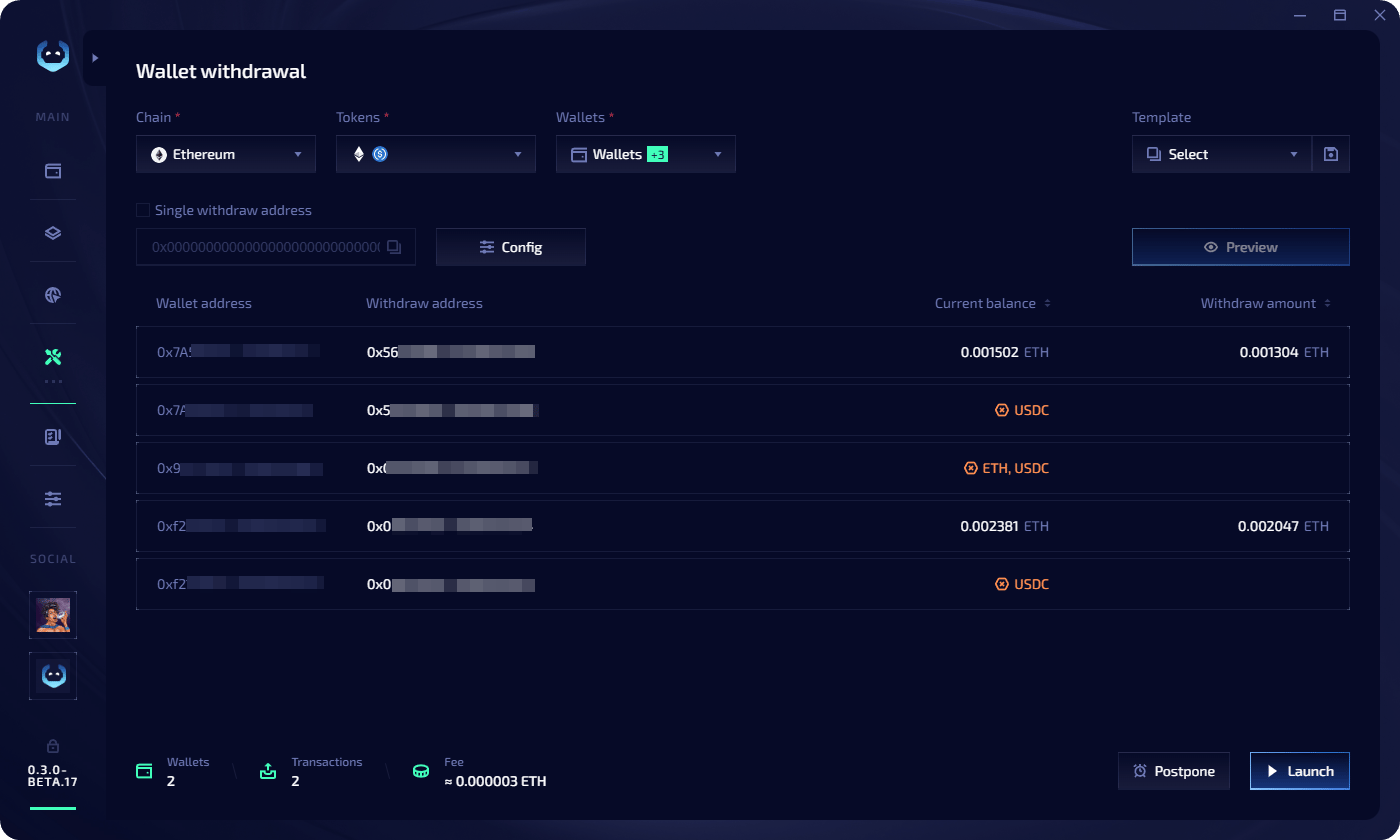 * Click **Launch** to execute immediately
* Click **Postpone** to pick a date and time — the task goes to the [Task Manager](/task-manager/about-task-manager) **Scheduled** tab
* Click **Launch** to execute immediately
* Click **Postpone** to pick a date and time — the task goes to the [Task Manager](/task-manager/about-task-manager) **Scheduled** tab
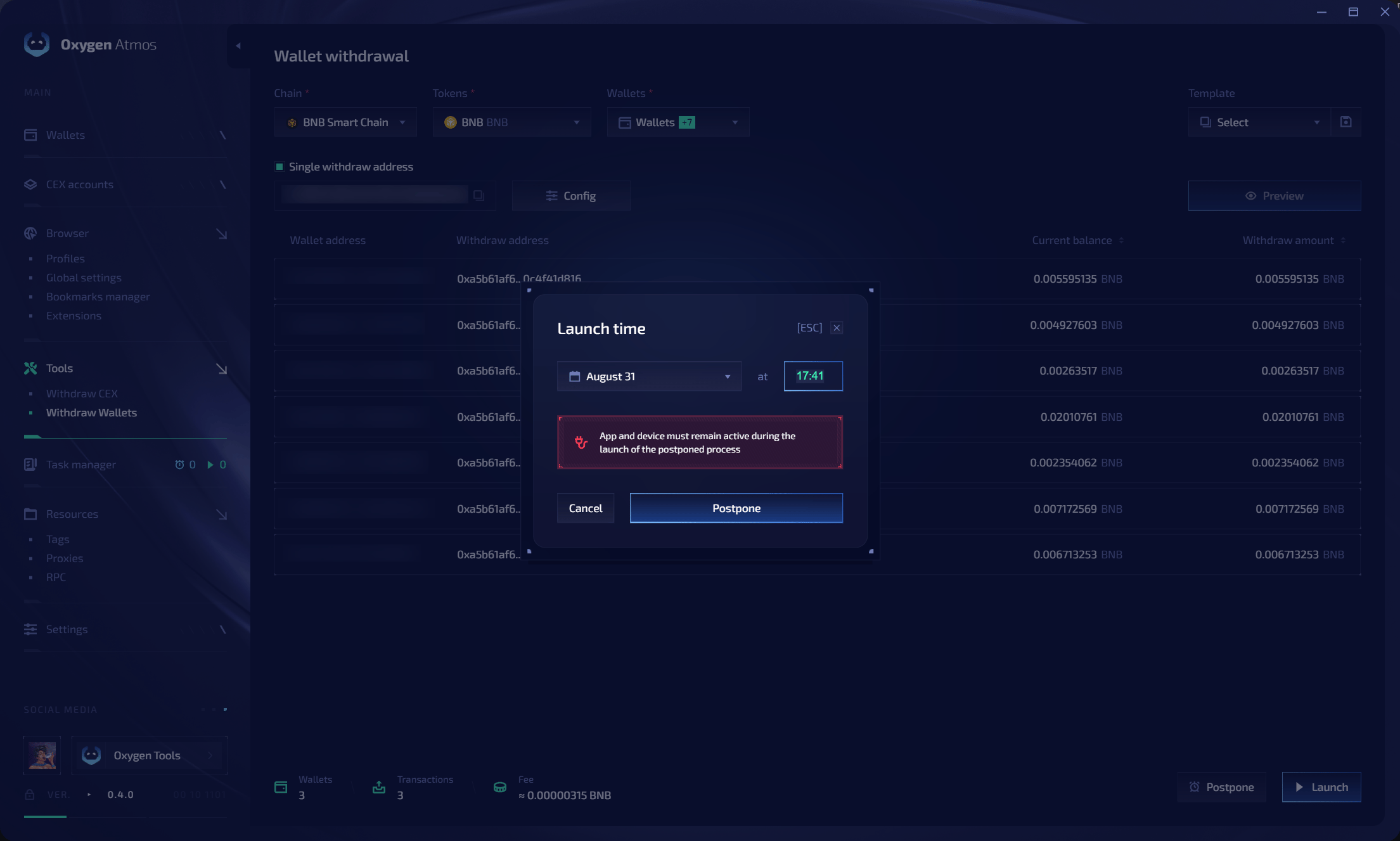 Your device and Oxygen Atmos must remain active at the scheduled time.
## Templates
Save your withdrawal configuration for quick reuse:
* **Save during preview** — click the **save icon** near the templates field at the top of the preview screen
* **Copy from completed task** — in the Task Manager, click the **copy icon** on a completed task. Three options: use as template, copy all wallets, or copy wallets with errors
Your device and Oxygen Atmos must remain active at the scheduled time.
## Templates
Save your withdrawal configuration for quick reuse:
* **Save during preview** — click the **save icon** near the templates field at the top of the preview screen
* **Copy from completed task** — in the Task Manager, click the **copy icon** on a completed task. Three options: use as template, copy all wallets, or copy wallets with errors