> ## Documentation Index
> Fetch the complete documentation index at: https://atmos.oxygen.wiki/llms.txt
> Use this file to discover all available pages before exploring further.
# 书签管理器
> 将书签添加到所有浏览器配置文件,或按配置文件标签分配
## 概览
打开 **Browser → Bookmarks manager**,管理 Oxidium 配置文件的书签。
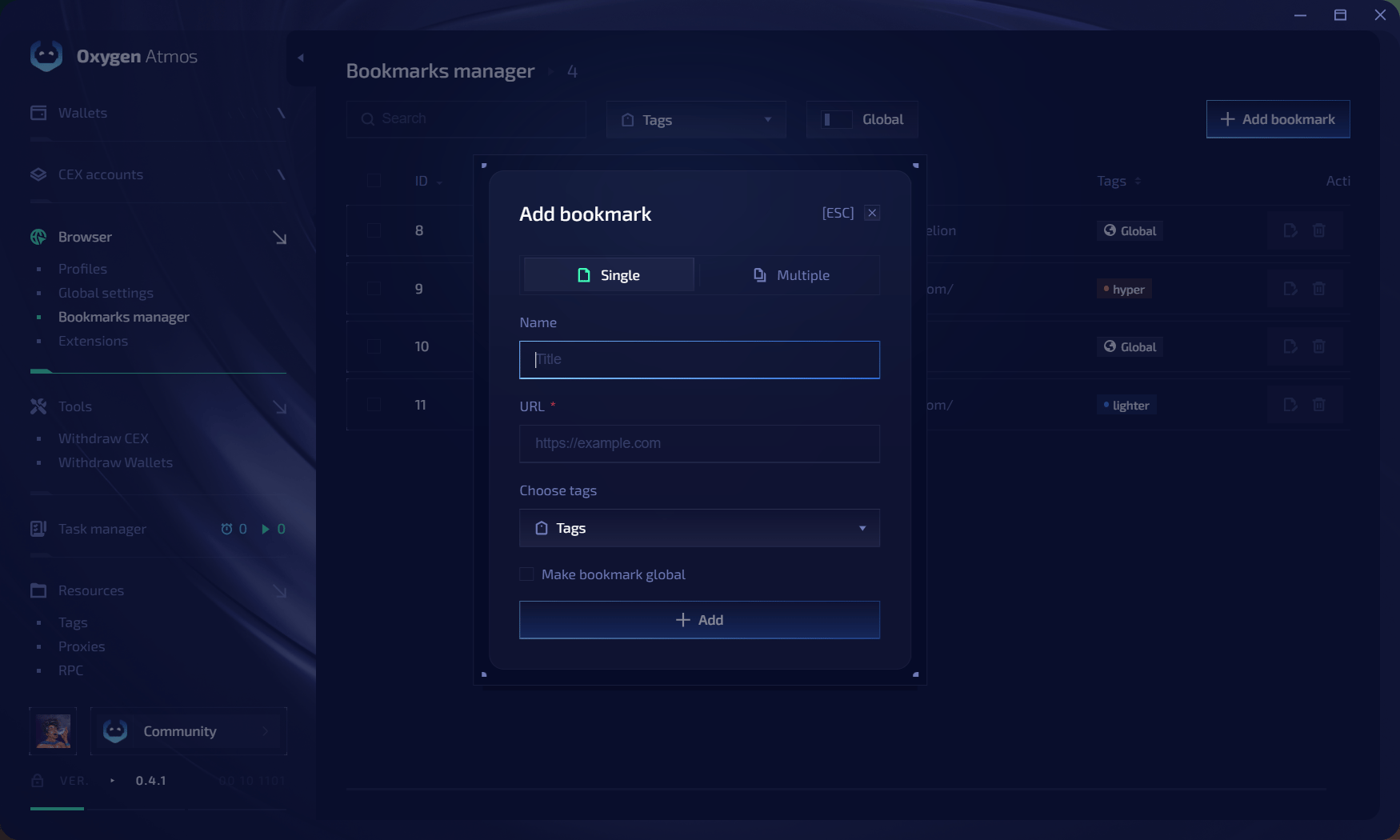 全局书签会添加到所有配置文件。按标签分配的书签只会添加到至少拥有一个所选标签的配置文件。
## 添加单个书签
1. 点击 **Add bookmark**,然后选择 **Single**。
2. 输入名称和 URL。
3. 选择配置文件标签,或启用 **Make bookmark global**。
4. 点击 **Add**。
## 添加多个书签
选择 **Multiple**,每行输入一个书签,格式如下:
```text theme={null}
URL|title
```
例如:
```text theme={null}
https://example.com|Example
https://github.com|GitHub
```
选择标签或全局分配,然后点击 **Add**。使用 **Search**、**Tags** 和 **Global** 筛选列表。
全局书签会添加到所有配置文件。按标签分配的书签只会添加到至少拥有一个所选标签的配置文件。
## 添加单个书签
1. 点击 **Add bookmark**,然后选择 **Single**。
2. 输入名称和 URL。
3. 选择配置文件标签,或启用 **Make bookmark global**。
4. 点击 **Add**。
## 添加多个书签
选择 **Multiple**,每行输入一个书签,格式如下:
```text theme={null}
URL|title
```
例如:
```text theme={null}
https://example.com|Example
https://github.com|GitHub
```
选择标签或全局分配,然后点击 **Add**。使用 **Search**、**Tags** 和 **Global** 筛选列表。