> ## Documentation Index
> Fetch the complete documentation index at: https://atmos.oxygen.wiki/llms.txt
> Use this file to discover all available pages before exploring further.
# 批量创建
> 使用批量配置选项一次创建多个浏览器配置文件
## 概览
批量创建可以在一次操作中生成多个浏览器配置文件。每个配置文件都会获得自己的指纹,并可接收钱包、代理、social tokens、标签和浏览器偏好覆盖项。
如果你已经在 Oxygen Atmos 中有钱包,并希望每个钱包创建一个配置文件,请使用批量创建。如果需要通过表格逐行控制配置,请使用文件导入。
## 批量创建
点击 **New Profile**,并选择批量创建选项。
选择需要的输入组:
* **Wallets**:从选中的钱包创建配置文件
* **Proxies**:分配代理,每行一个,并按顺序应用到配置文件
* **Twitter Tokens**:按行顺序分配 X.com tokens
* **Discord Tokens**:按行顺序分配 Discord tokens
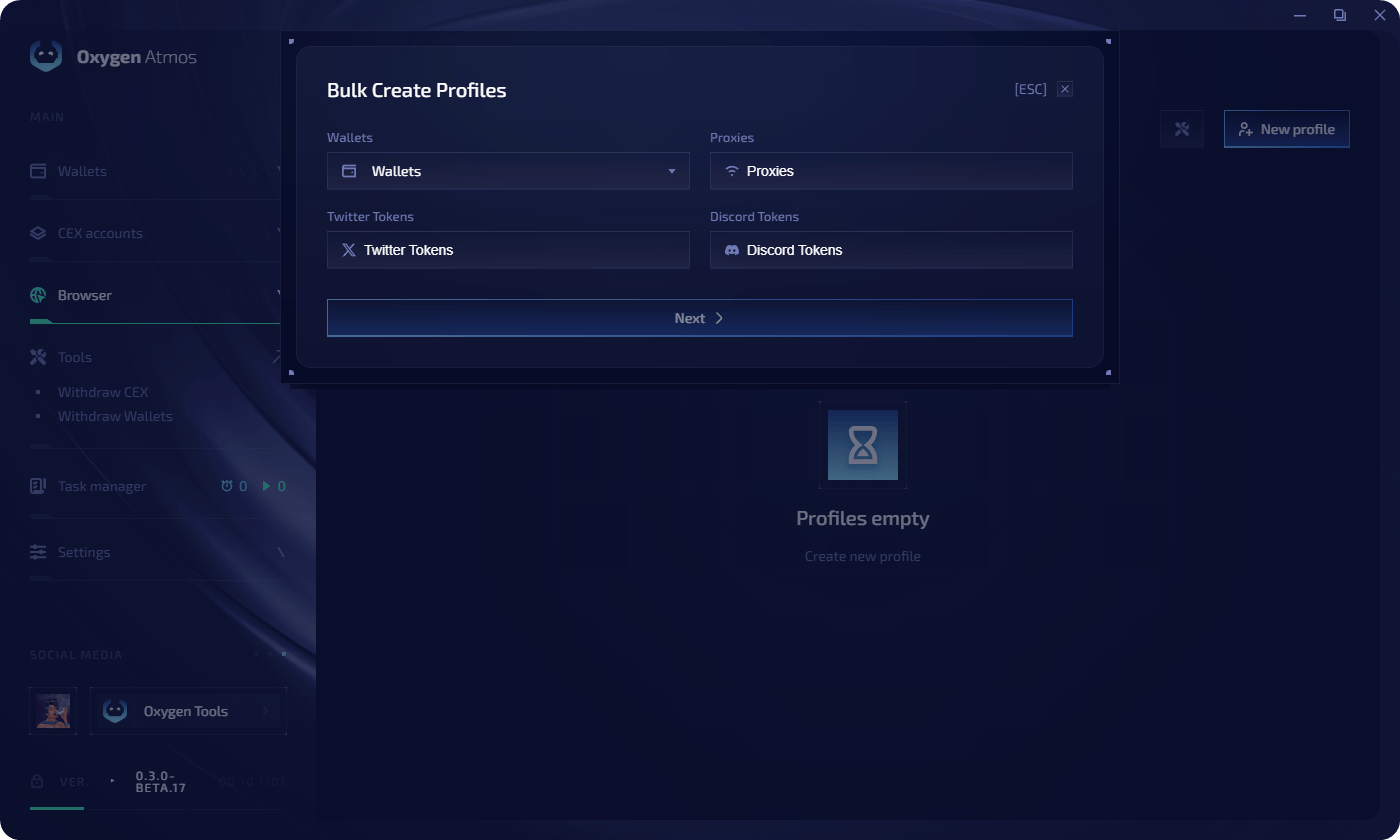 每个选中的钱包都会生成一个配置文件。代理行和 token 行会按顺序与选中的钱包匹配。
在表格中检查生成的配置文件。导入前,Oxygen Atmos 会检查钱包、代理输入、social tokens 和指纹可用性。
每个选中的钱包都会生成一个配置文件。代理行和 token 行会按顺序与选中的钱包匹配。
在表格中检查生成的配置文件。导入前,Oxygen Atmos 会检查钱包、代理输入、social tokens 和指纹可用性。
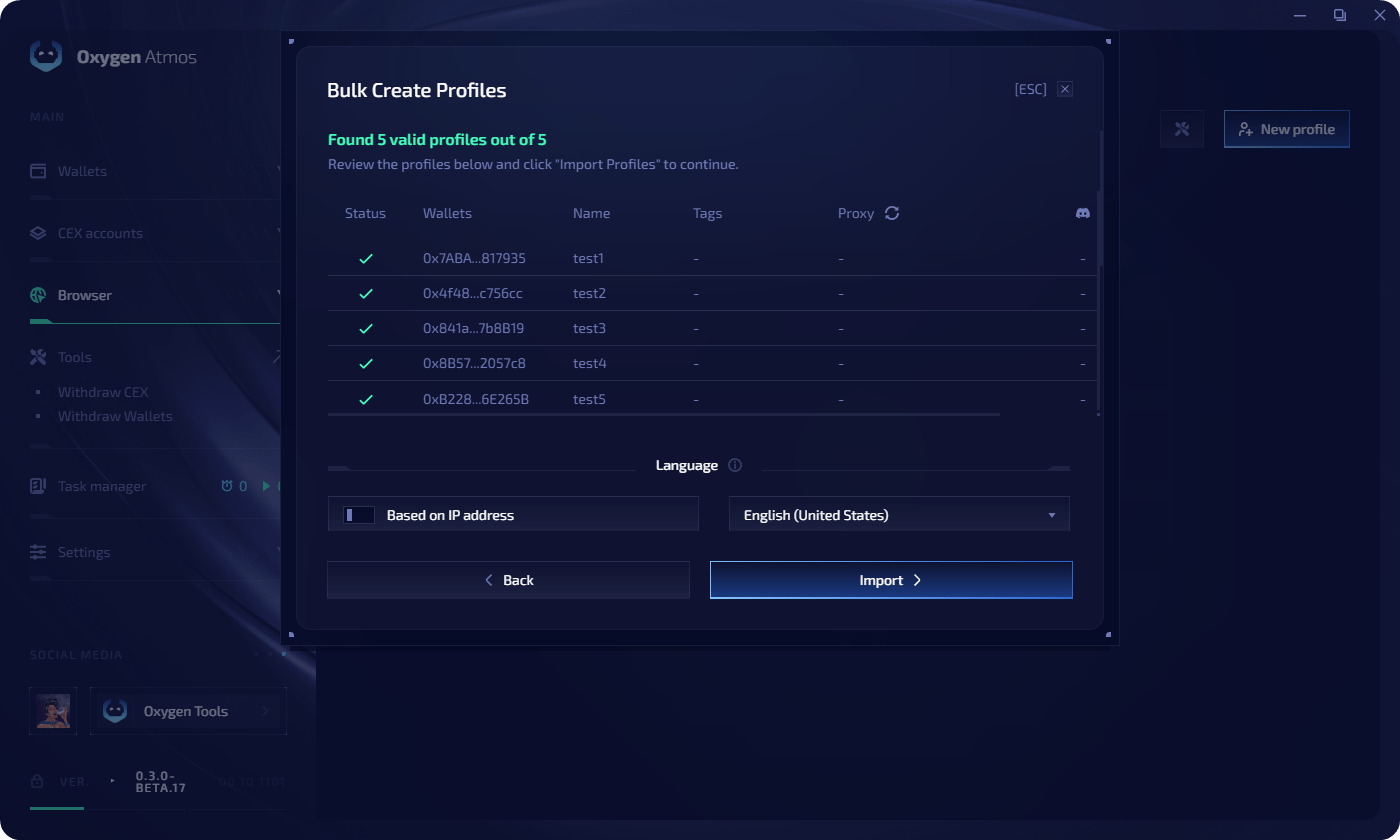 选择生成配置文件的语言设置,然后点击 **Import**。
带有阻塞错误的配置文件必须先修复或跳过,导入才能继续。如果没有匹配的 GPU renderer 指纹,并且界面提供该选项,可以尝试不匹配 GPU renderer 后重试。
## 从文件导入
也可以从 **CSV**、**XLS**、**XLSX** 或 **Numbers** 文件导入配置文件。
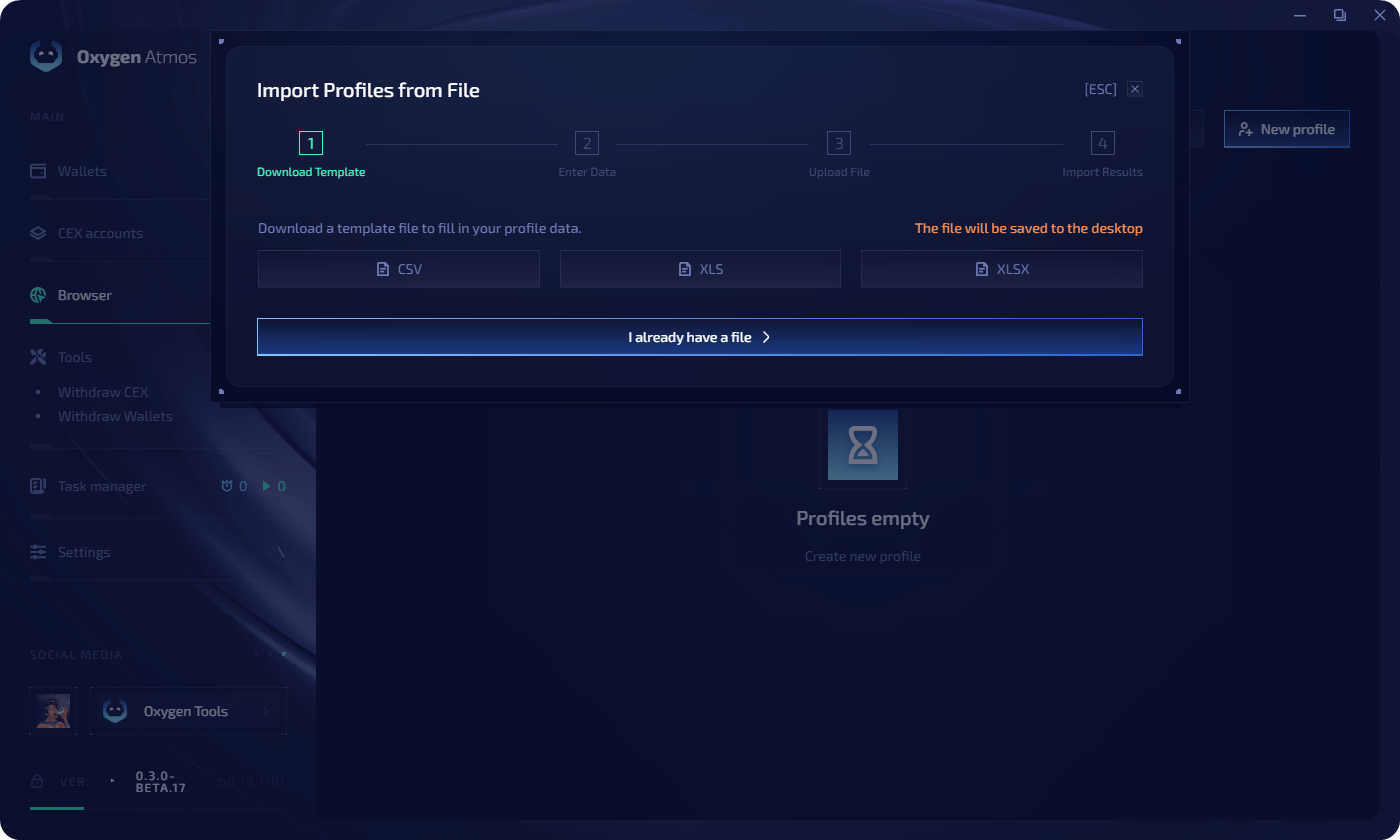
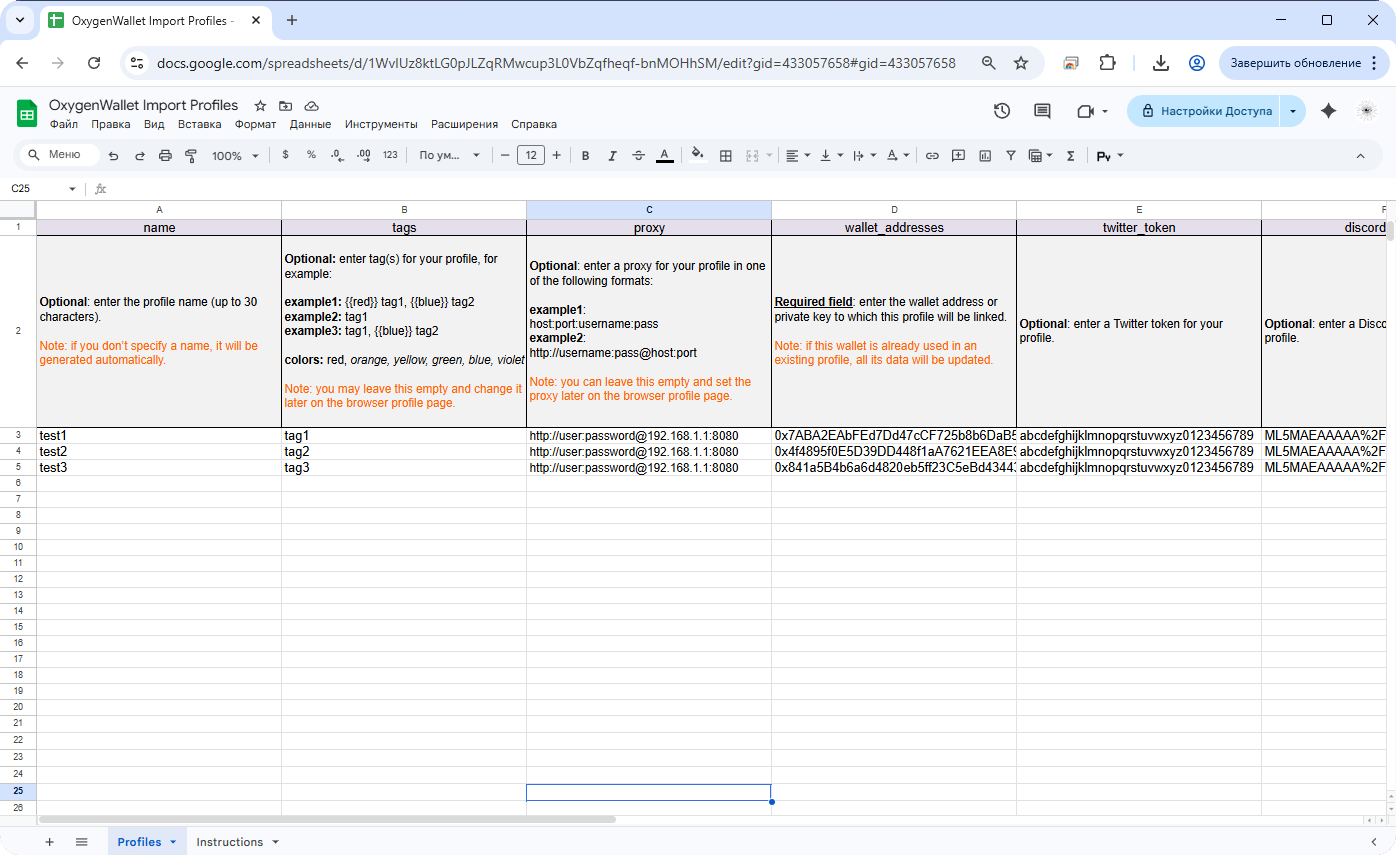
在文件导入窗口中下载你想使用的模板格式,或者选择已有文件。
选择生成配置文件的语言设置,然后点击 **Import**。
带有阻塞错误的配置文件必须先修复或跳过,导入才能继续。如果没有匹配的 GPU renderer 指纹,并且界面提供该选项,可以尝试不匹配 GPU renderer 后重试。
## 从文件导入
也可以从 **CSV**、**XLS**、**XLSX** 或 **Numbers** 文件导入配置文件。
在文件导入窗口中下载你想使用的模板格式,或者选择已有文件。
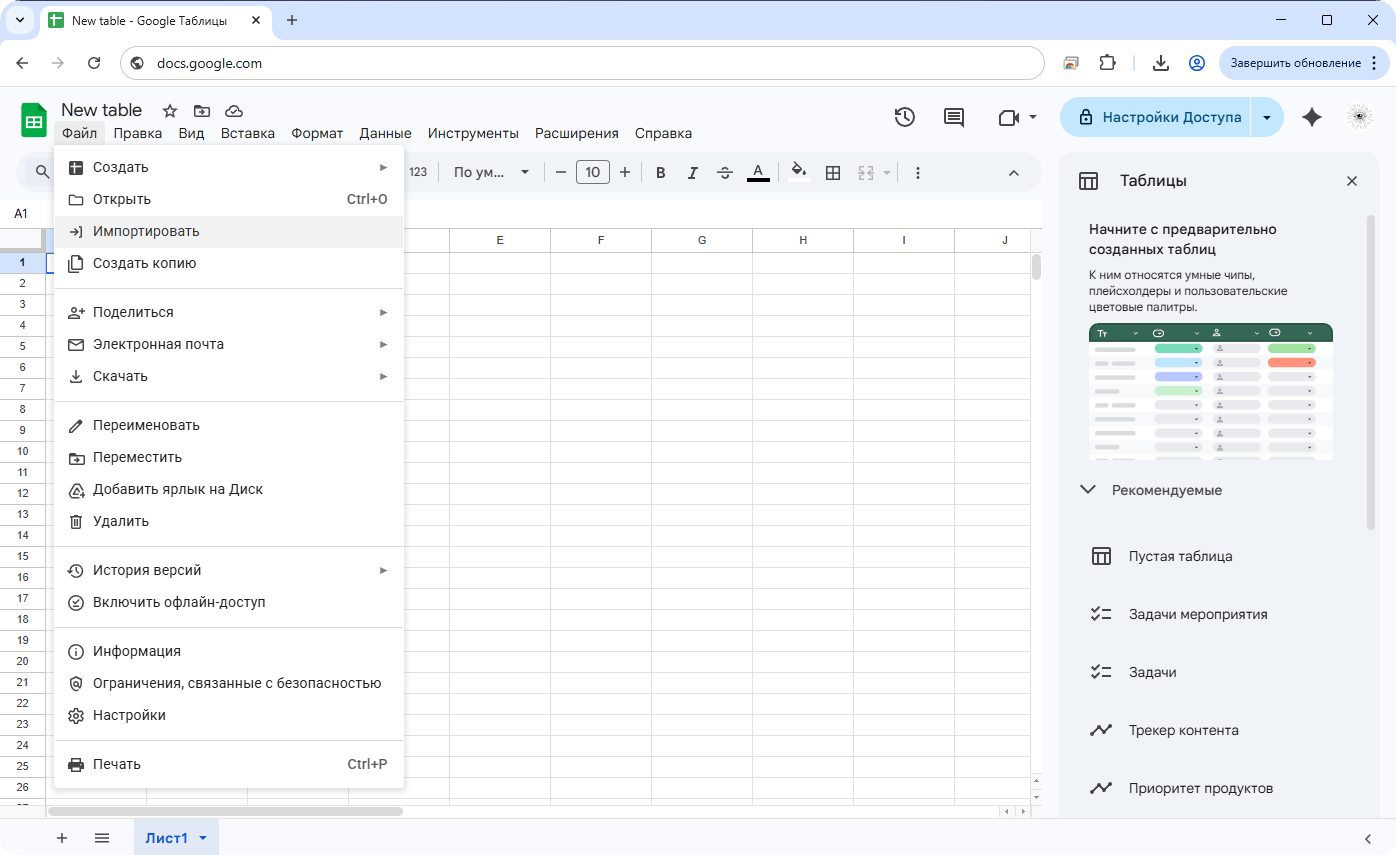
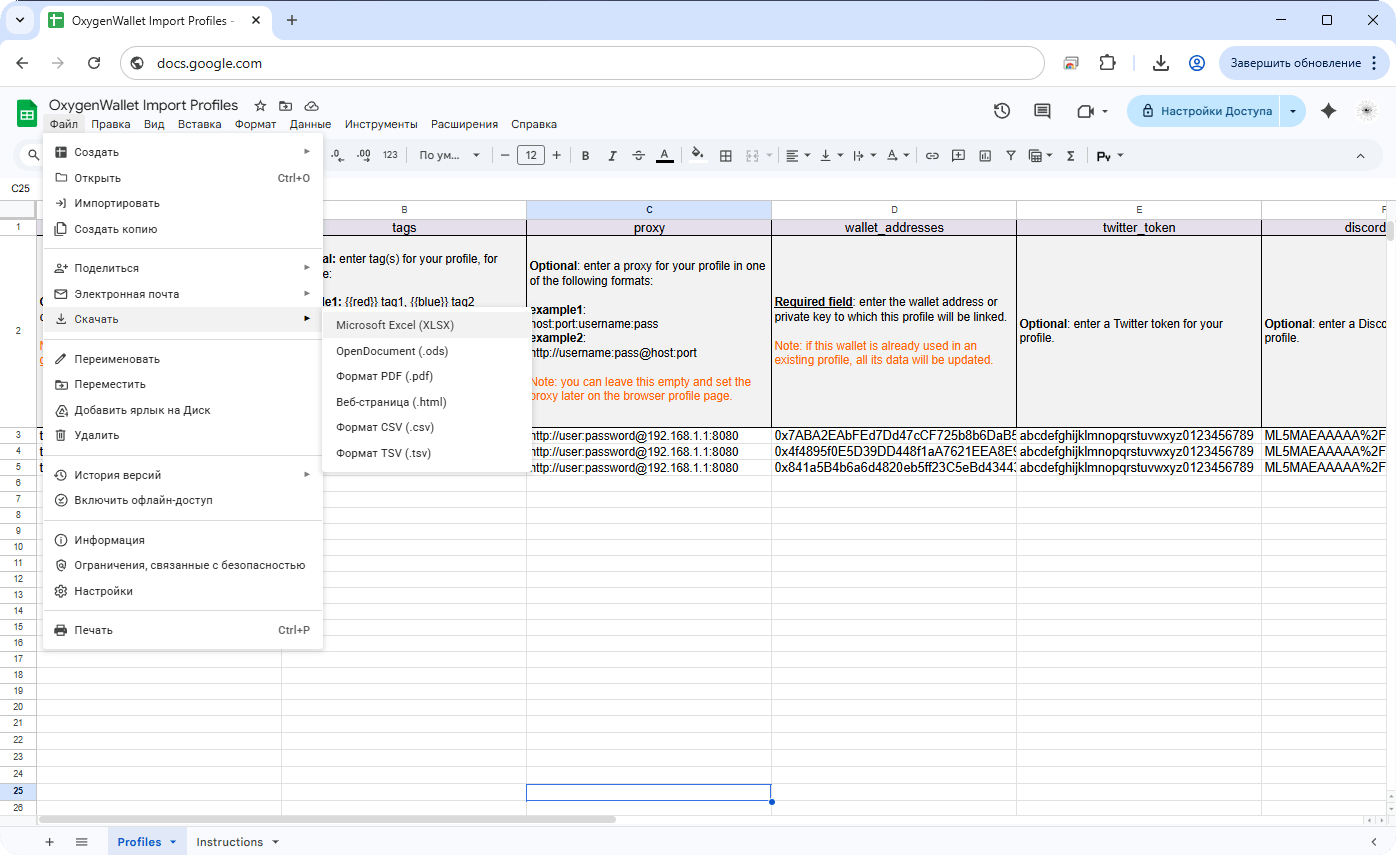 如果文件包含 private keys、cookies 或 social tokens,请保存在本地,不要上传到云端表格编辑器。
模板包含 profile name、tags、proxy、wallet addresses、X.com token 和 Discord token 等列。
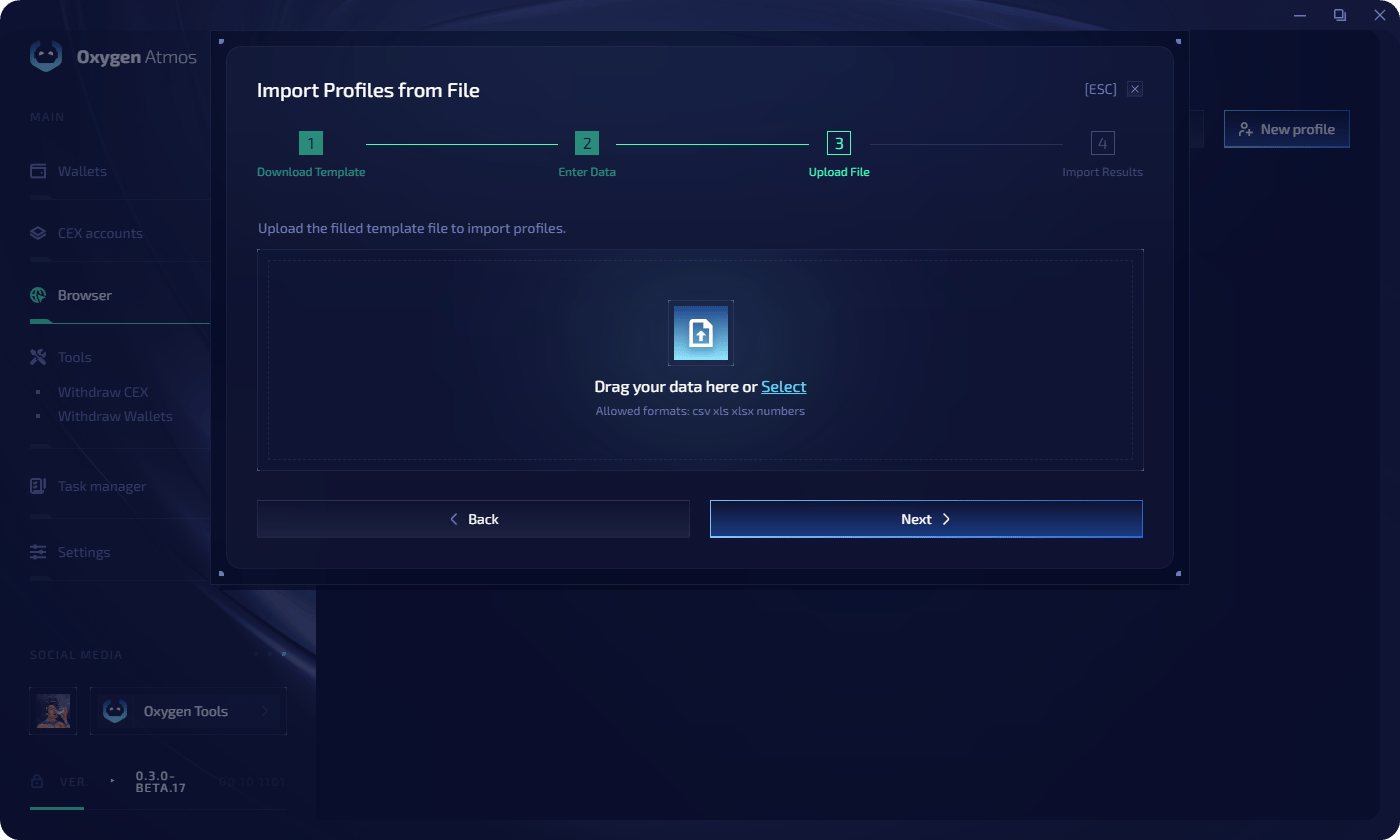
将文件拖入上传区域,或点击 **Select** 上传。
如果文件包含 private keys、cookies 或 social tokens,请保存在本地,不要上传到云端表格编辑器。
模板包含 profile name、tags、proxy、wallet addresses、X.com token 和 Discord token 等列。
将文件拖入上传区域,或点击 **Select** 上传。
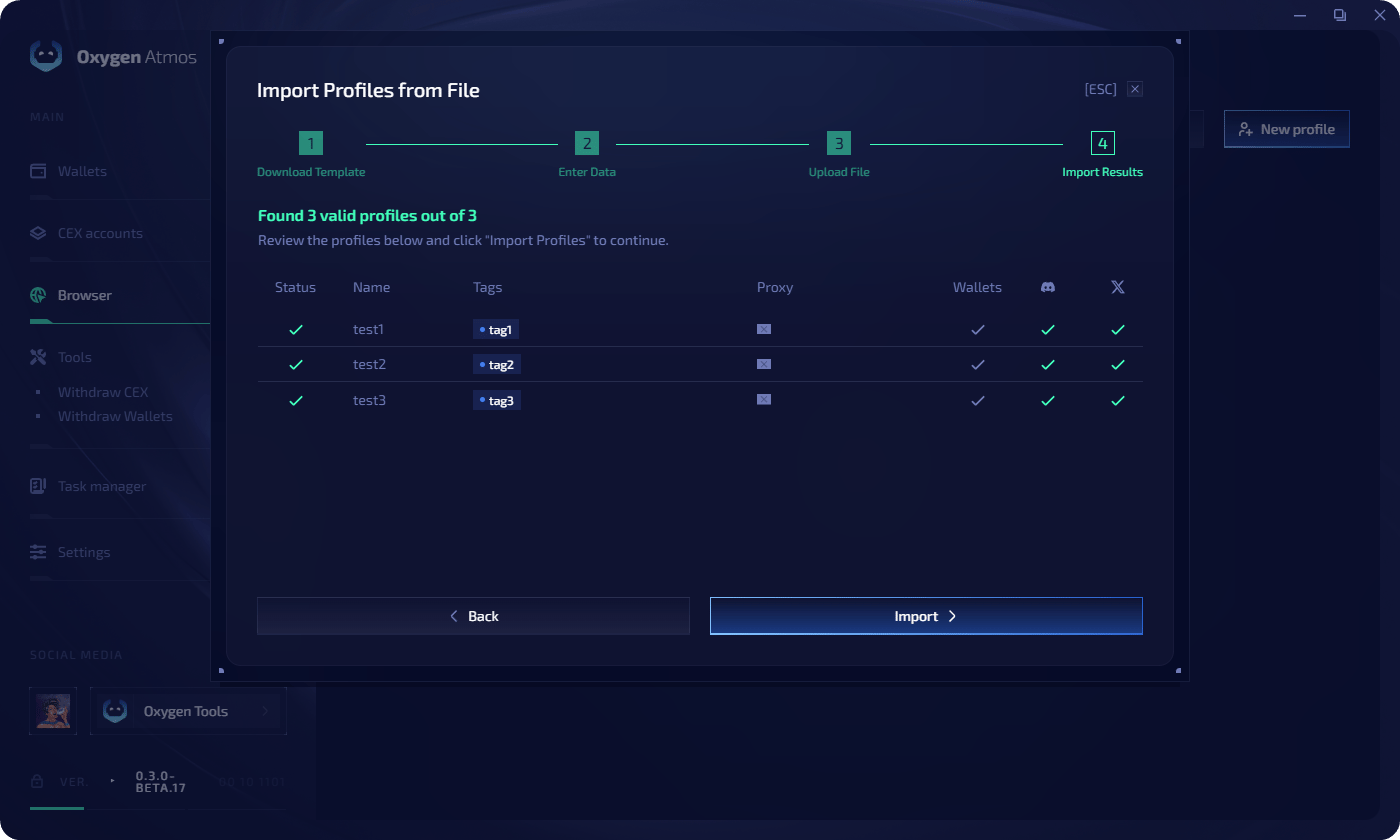
 在表格中检查解析出的配置文件,然后点击 **Import** 创建或更新它们。
 ## 文件模板
CSV 模板使用以下列:
```csv theme={null}
name,tags,proxy,wallet_addresses,twitter_token,discord_token
```
示例行:
```csv theme={null}
Example Profile,{{red}} tag1,hostname:port:username:password,,,
Example with protocol,tag2,http://username:password@hostname:port,,,
```
标签使用逗号分隔。创建标签时可以指定颜色:
```text theme={null}
{{red}} warmup
```
已有标签会按大小写不敏感方式匹配。如果标签不存在,Oxygen Atmos 会创建它。
钱包地址或 private keys 可以用逗号分隔。第一个钱包会作为 main wallet,其他钱包会添加到 main wallet 后面。
如果 main wallet 已经绑定到现有配置文件,导入会更新该配置文件,而不是创建重复项。
`twitter_token` 列会导入 X.com 的 `auth_token` cookie。`discord_token` 列会导入 Discord local storage token。两者都会安全存储,并在下次启动浏览器配置文件时应用。
## 代理格式
在批量创建或文件导入时分配代理,请使用以下格式之一:
```text theme={null}
protocol://host:port:user:pass
protocol://user:pass@host:port
```
支持类型:**HTTP** 和 **SOCKS5**。每行一个代理。代理会按出现顺序依次应用到配置文件。
如果代理没有协议,Oxygen Atmos 会在导入时自动检测其可用类型是 HTTP 还是 SOCKS5。Proxy checks 会检测每个代理是否可用、使用哪种协议,以及可获取哪些位置数据。
## 建议
* 创建时分配[标签](/zh-Hans/resources/tags),按 campaign 或用途分组配置文件
* 对需要逐配置文件设置的大批量数据使用文件导入
* 让每组配置文件的代理国家、语言、时区和 geolocation 设置保持一致
## 文件模板
CSV 模板使用以下列:
```csv theme={null}
name,tags,proxy,wallet_addresses,twitter_token,discord_token
```
示例行:
```csv theme={null}
Example Profile,{{red}} tag1,hostname:port:username:password,,,
Example with protocol,tag2,http://username:password@hostname:port,,,
```
标签使用逗号分隔。创建标签时可以指定颜色:
```text theme={null}
{{red}} warmup
```
已有标签会按大小写不敏感方式匹配。如果标签不存在,Oxygen Atmos 会创建它。
钱包地址或 private keys 可以用逗号分隔。第一个钱包会作为 main wallet,其他钱包会添加到 main wallet 后面。
如果 main wallet 已经绑定到现有配置文件,导入会更新该配置文件,而不是创建重复项。
`twitter_token` 列会导入 X.com 的 `auth_token` cookie。`discord_token` 列会导入 Discord local storage token。两者都会安全存储,并在下次启动浏览器配置文件时应用。
## 代理格式
在批量创建或文件导入时分配代理,请使用以下格式之一:
```text theme={null}
protocol://host:port:user:pass
protocol://user:pass@host:port
```
支持类型:**HTTP** 和 **SOCKS5**。每行一个代理。代理会按出现顺序依次应用到配置文件。
如果代理没有协议,Oxygen Atmos 会在导入时自动检测其可用类型是 HTTP 还是 SOCKS5。Proxy checks 会检测每个代理是否可用、使用哪种协议,以及可获取哪些位置数据。
## 建议
* 创建时分配[标签](/zh-Hans/resources/tags),按 campaign 或用途分组配置文件
* 对需要逐配置文件设置的大批量数据使用文件导入
* 让每组配置文件的代理国家、语言、时区和 geolocation 设置保持一致