> ## Documentation Index
> Fetch the complete documentation index at: https://atmos.oxygen.wiki/llms.txt
> Use this file to discover all available pages before exploring further.
# 进度跟踪
> 监控任务执行、查看 logs,并恢复失败操作
## 查看任务进度
在 **Processing** 或 **Archive** 标签页,点击任务上的 **Open** 查看执行详情。
## 任务 logs
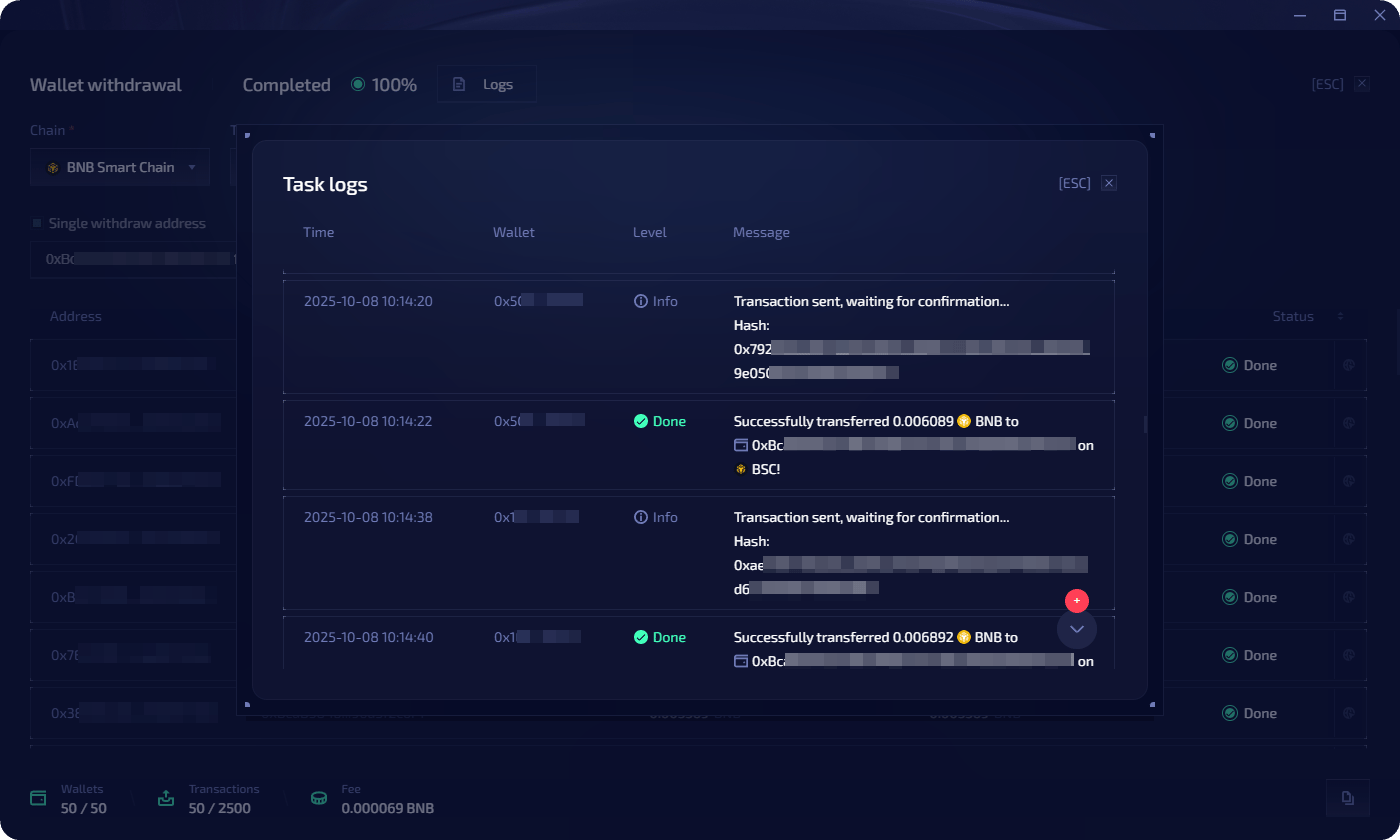
点击 **Logs** 可查看详细执行日志。日志按钱包操作显示带时间戳的条目。每条记录会显示:
* 交易状态,例如 success、pending、error,并带有颜色指示
* 状态消息,例如 "Transaction sent, waiting for confirmation"、"Successfully transferred X to address"
* 每个步骤的可展开详情
 ## 任务状态
| 状态 | 说明 |
| ----------------------- | ----------- |
| **Scheduled** | 等待计划启动时间 |
| **Processing** | 正在执行 |
| **Queued** | 钱包等待处理 |
| **Completed** | 所有操作已成功完成 |
| **Partially completed** | 部分钱包成功,部分失败 |
| **Failed Error** | 任务失败并带有错误 |
| **Cancelled** | 手动取消 |
## 错误恢复
### Restart unsuccessful
当任务状态为 **Partially completed** 时,点击 **Restart unsuccessful**,只会对 **Queued** 或 **Error** 状态的钱包重新运行任务。
### 复制钱包进行定向修复
当部分钱包失败时,例如 gas 不足,可以创建一个定向 top-up 任务:
在任务视图中,点击右下角的**复制图标**。
选择其中一个选项:
| 选项 | 说明 |
| ---------------------------- | ------------------- |
| **Use as template** | 将所有任务参数复制到新任务 |
| **Copy all wallets** | 将所有钱包复制到新任务 |
| **Copy wallets with errors** | 只复制 error 状态的钱包到新任务 |
为新任务设置参数,例如向失败钱包发送 native token,然后启动或延后。
## 任务状态
| 状态 | 说明 |
| ----------------------- | ----------- |
| **Scheduled** | 等待计划启动时间 |
| **Processing** | 正在执行 |
| **Queued** | 钱包等待处理 |
| **Completed** | 所有操作已成功完成 |
| **Partially completed** | 部分钱包成功,部分失败 |
| **Failed Error** | 任务失败并带有错误 |
| **Cancelled** | 手动取消 |
## 错误恢复
### Restart unsuccessful
当任务状态为 **Partially completed** 时,点击 **Restart unsuccessful**,只会对 **Queued** 或 **Error** 状态的钱包重新运行任务。
### 复制钱包进行定向修复
当部分钱包失败时,例如 gas 不足,可以创建一个定向 top-up 任务:
在任务视图中,点击右下角的**复制图标**。
选择其中一个选项:
| 选项 | 说明 |
| ---------------------------- | ------------------- |
| **Use as template** | 将所有任务参数复制到新任务 |
| **Copy all wallets** | 将所有钱包复制到新任务 |
| **Copy wallets with errors** | 只复制 error 状态的钱包到新任务 |
为新任务设置参数,例如向失败钱包发送 native token,然后启动或延后。