

Overview
Open Settings from the left sidebar. Settings are divided into Main and Connection.Main
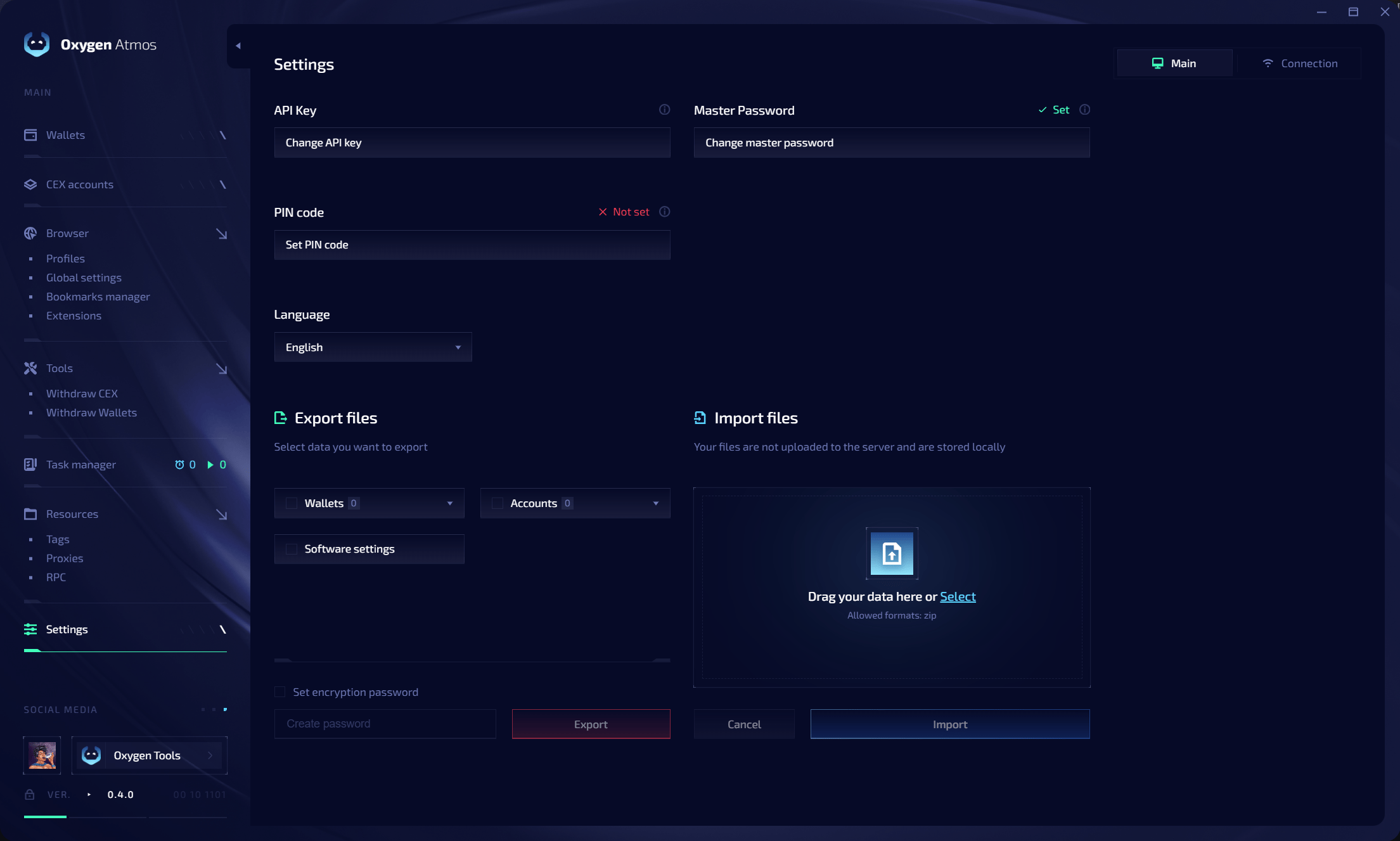
Access and security
Export files
Select the data to include in a ZIP export:
Enable Set encryption password to protect the exported archive with a password.
Import files
Drag a supported ZIP export into the import area or click Select. Imported files are processed locally and are not uploaded to a server.Connection
Use Settings → Connection when access to Oxygen services or third-party resources is restricted on your network.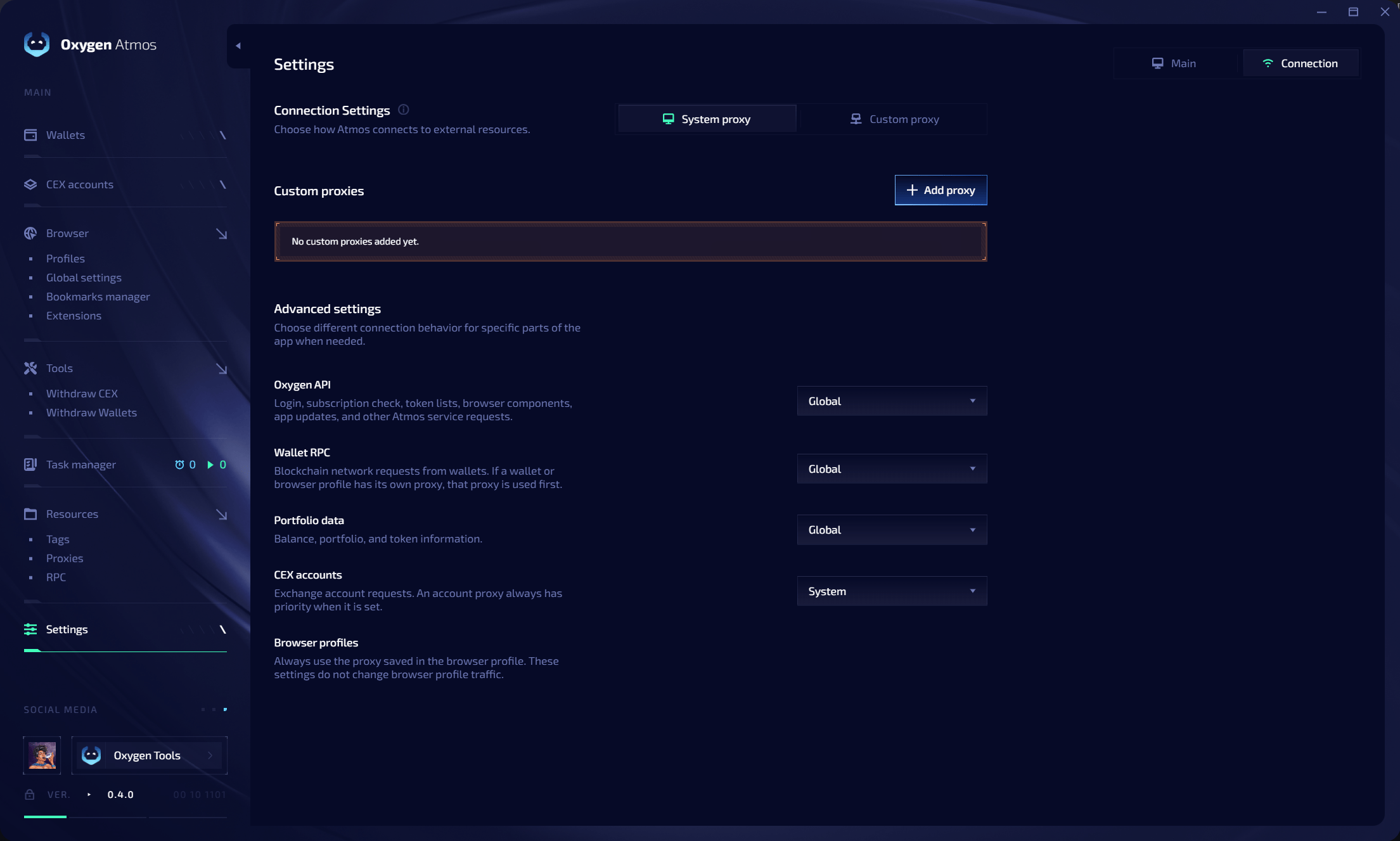
Connection source
Click Add proxy to save a custom connection proxy.
Advanced routing
Choose connection behavior separately for each part of Oxygen Atmos:Connection settings do not replace browser profile proxies. Each browser profile continues to use its own saved proxy.
Related resources
Global settings
Configure browser defaults, WebRTC, GPU spoofing, and startup tabs.
Extensions
Install extensions globally or route them by tags.
Tags
Manage tags shared across Oxygen Atmos.
RPC
Configure RPC endpoints and monitor network health.