

Overview
The exchange accounts module lets you connect crypto exchange accounts via API. Once connected, you can track real-time balances and use exchanges as withdrawal sources in the transfer module.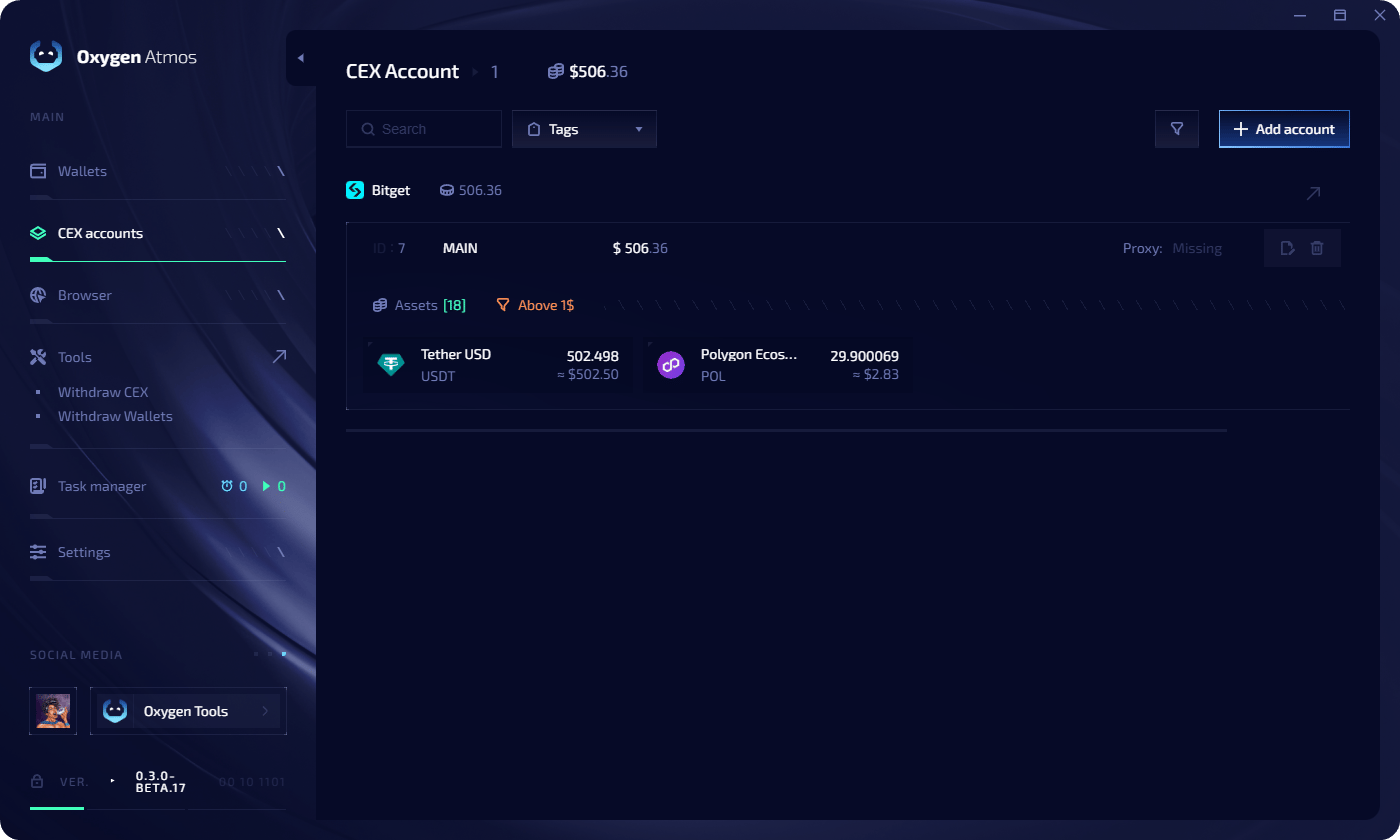
Oxygen Atmos only shows token balances that are available for withdrawal — tokens locked in futures positions, staking, or farming are excluded.
Account limits
Add an exchange account
1
Create API keys
Generate API keys on your exchange. See API key setup for step-by-step guides for each exchange.
2
Open the accounts tab
Navigate to CEX accounts in the left sidebar.
3
Add account
Click Add Account and select your exchange.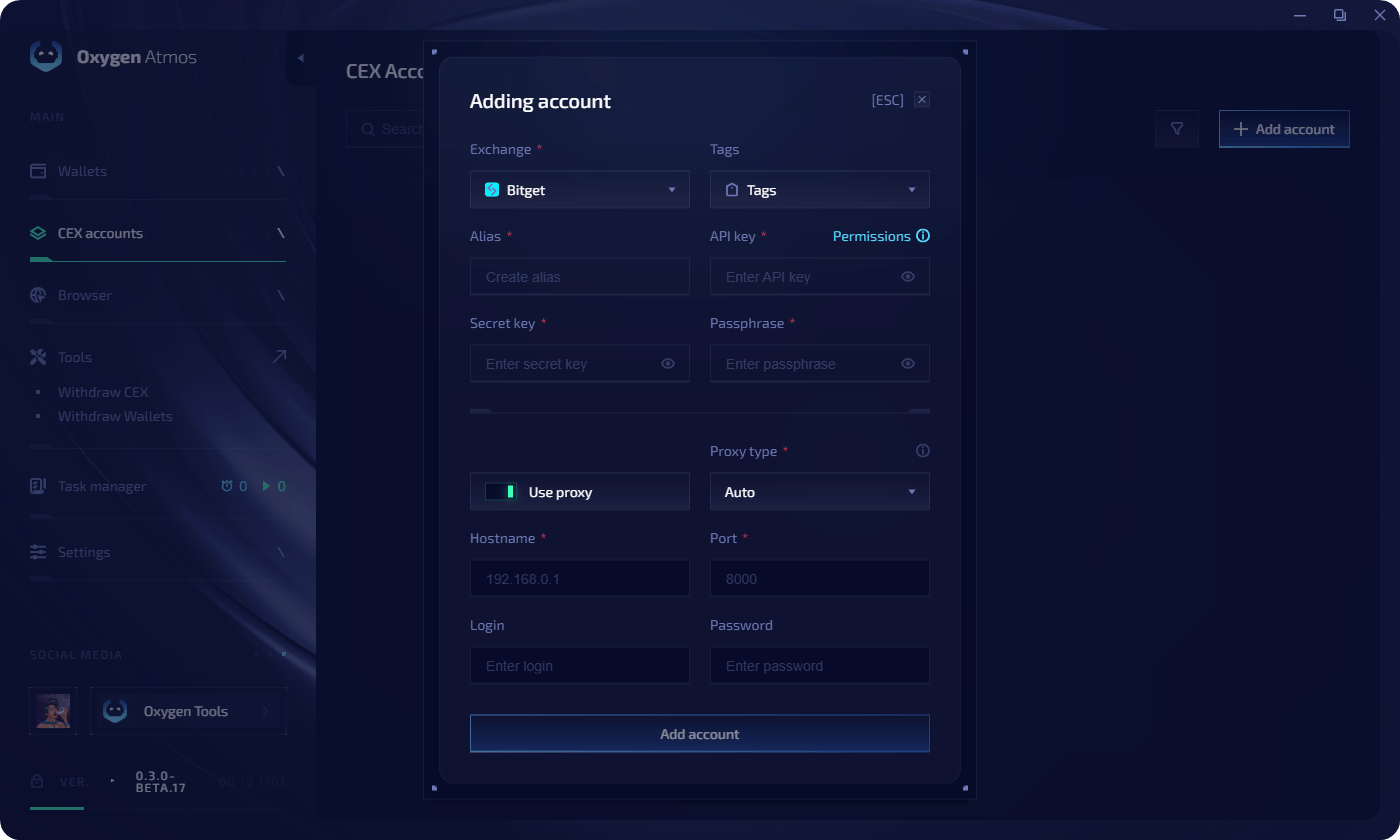
4
Enter API credentials
Fill in the fields:
5
Confirm
Click Add Account. The account appears in the list with its current balances.
Edit API keys
To update credentials for a connected account:- Click the edit icon next to the exchange account
- Update the alias, API key, secret key, or passphrase
- Click Save Changes
Quick links
API key setup
Step-by-step guides for Binance, OKX, MEXC, and Bitget.
CEX withdrawal
Withdraw tokens from exchanges to your wallets.