

Overview
Wallet withdrawal lets you send tokens from your wallets in bulk — either to each wallet’s linked withdrawal address or to a single common address.Parameters
Token selection
After selecting a chain, the token panel shows available tokens with their amounts. For each token you can configure the withdrawal method individually.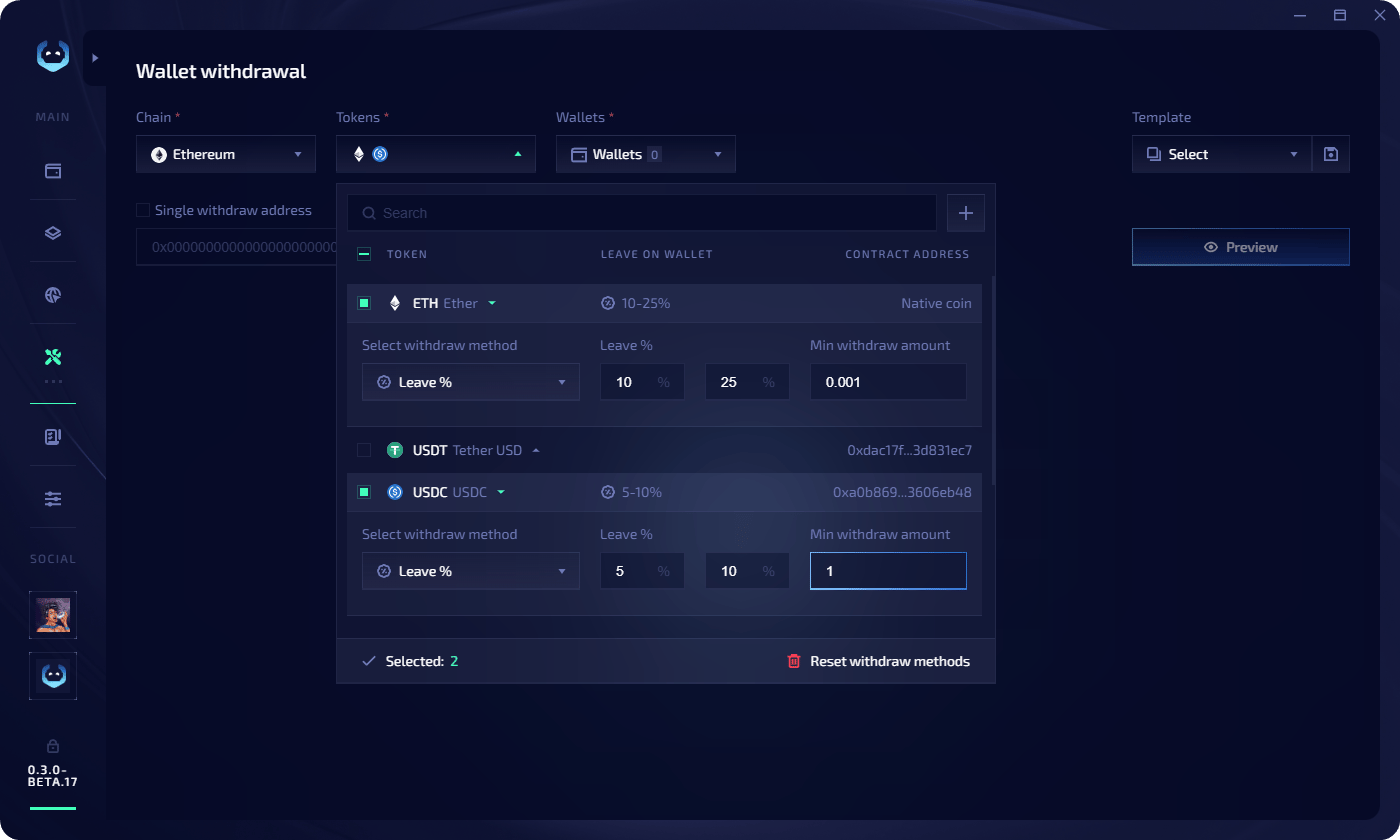
Task config
Configure execution settings before launching:Execute a withdrawal
1
Ensure wallets are imported
Add wallets in the Wallet Manager.
2
Configure parameters
Set the chain, tokens, withdrawal methods, source wallets, and optional single address.
3
Preview
Click Preview. Review per-wallet details: wallet address, withdraw address, current balance, and withdrawal amount for each token.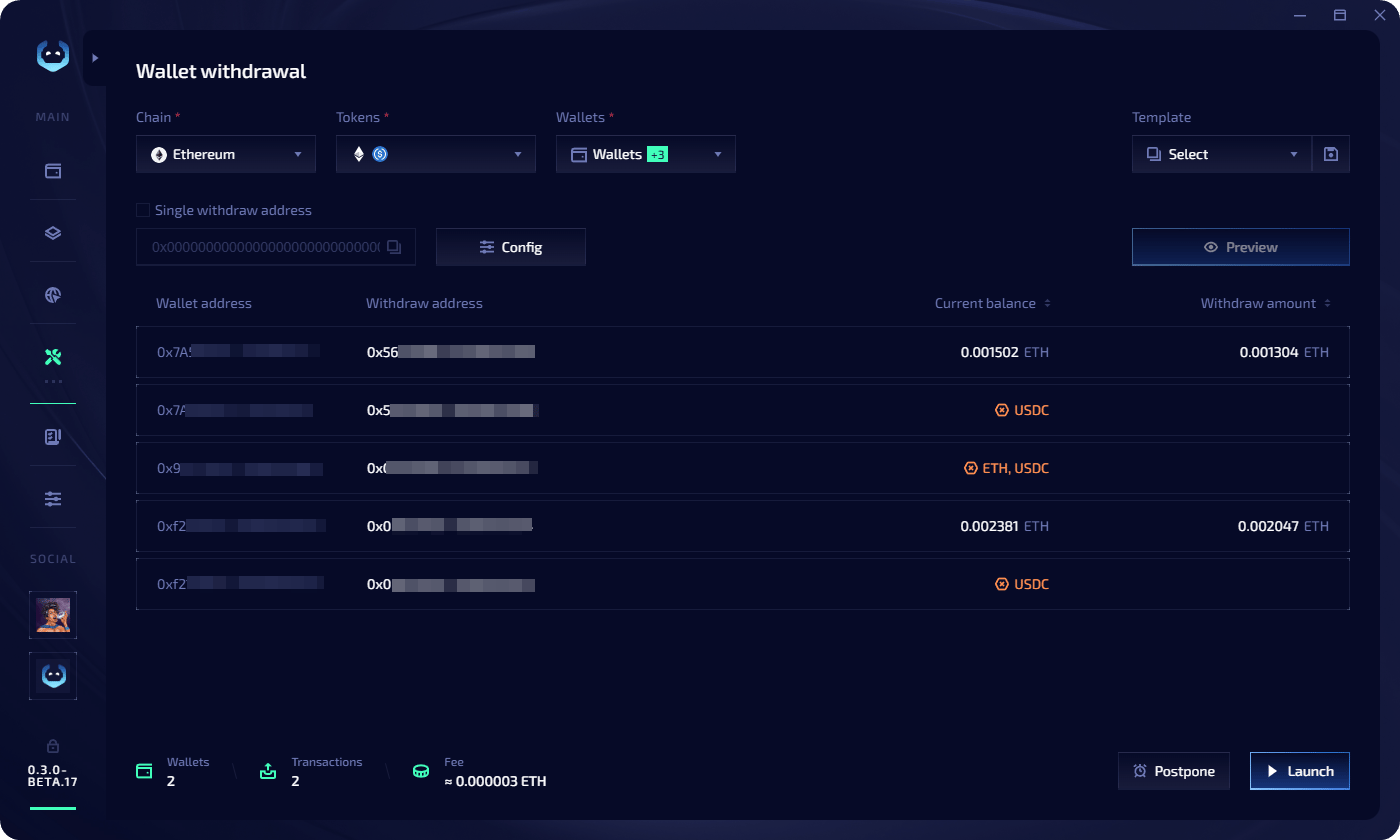
4
Launch or postpone
- Click Launch to execute immediately
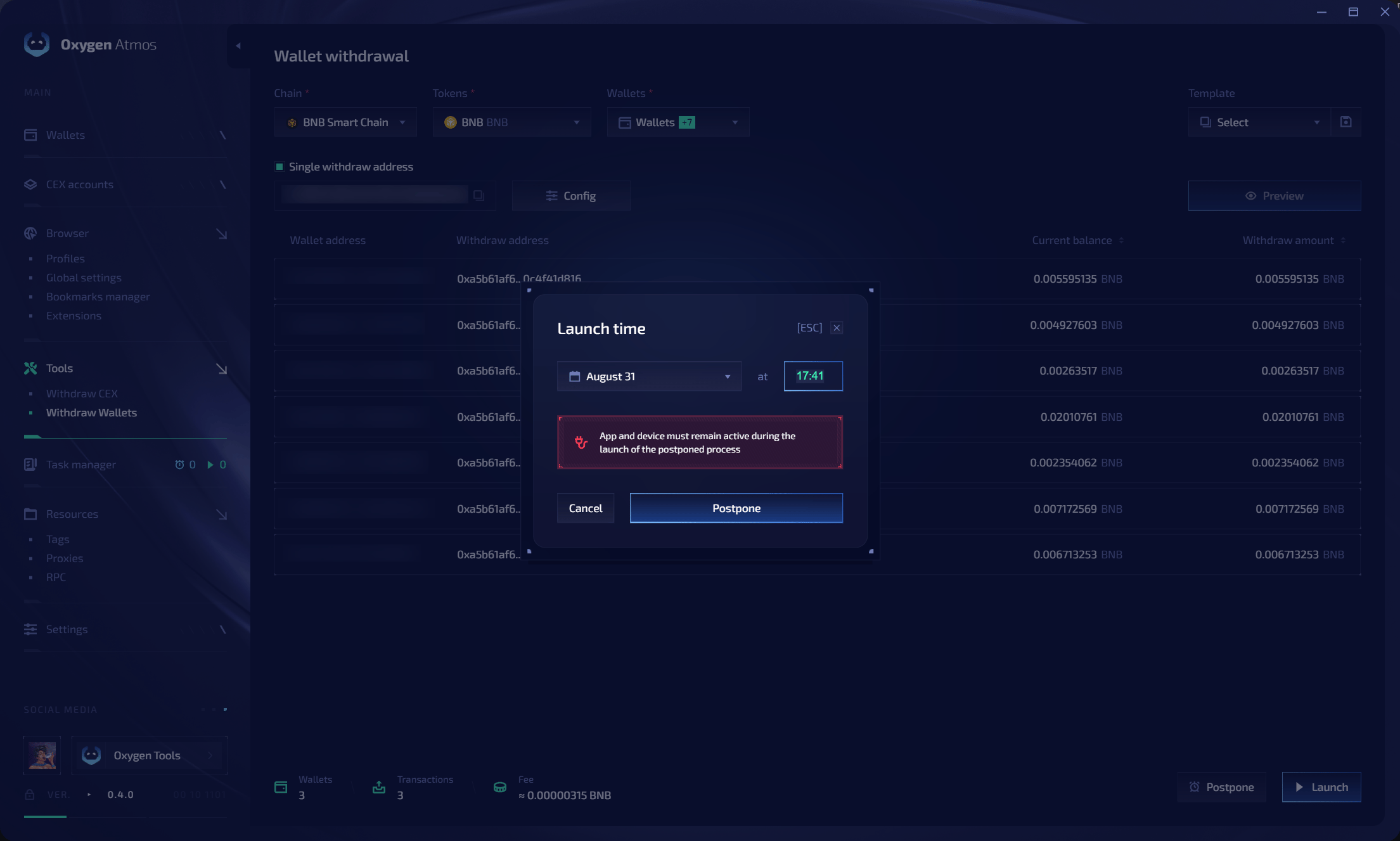
- Click Postpone to pick a date and time — the task goes to the Task Manager Scheduled tab
Templates
Save your withdrawal configuration for quick reuse:- Save during preview — click the save icon near the templates field at the top of the preview screen
- Copy from completed task — in the Task Manager, click the copy icon on a completed task. Three options: use as template, copy all wallets, or copy wallets with errors