

Overview
Open Browser → Extensions to manage extensions for Oxidium profiles.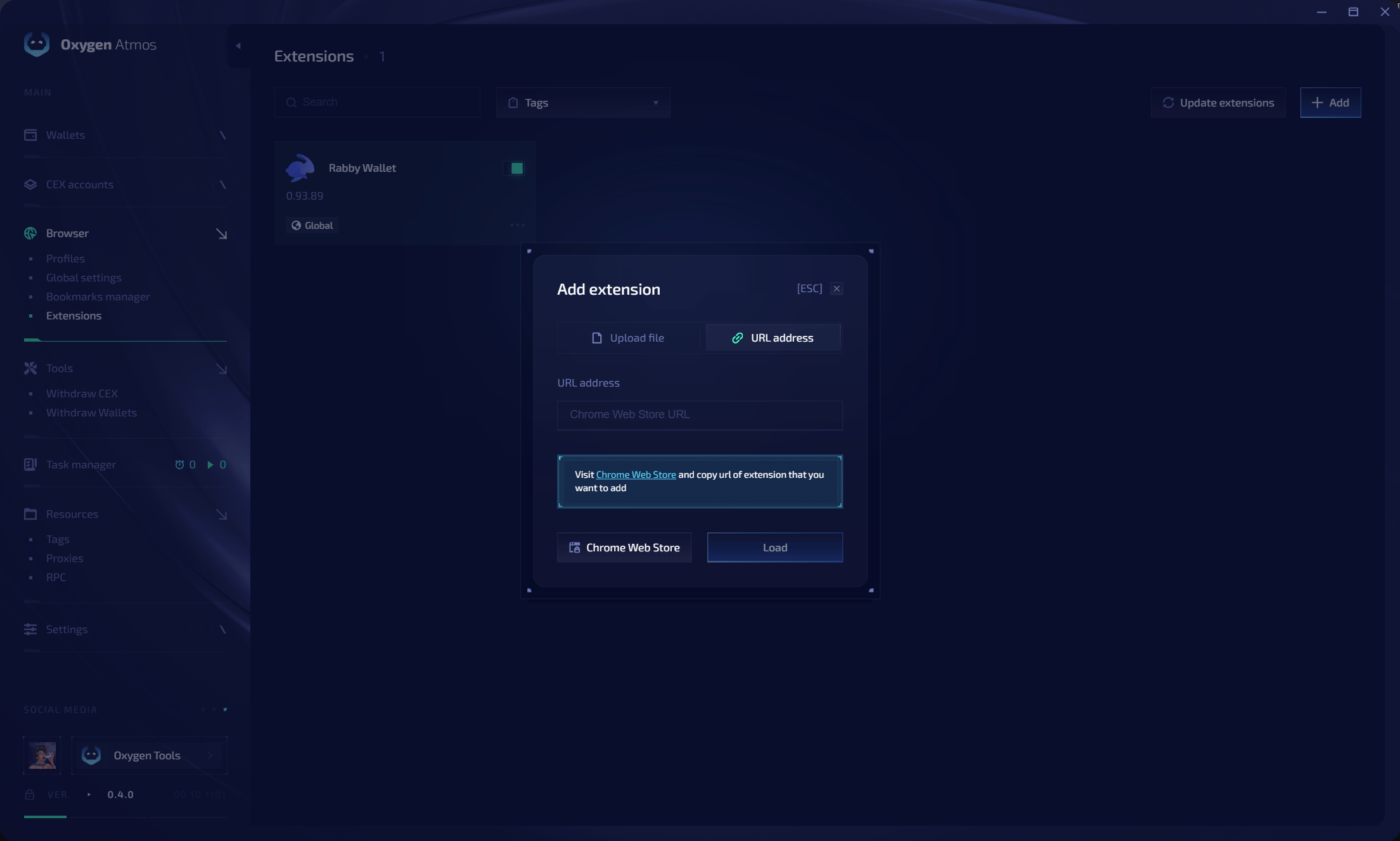
Add an extension
1
Open the add dialog
Click Add.
2
Choose a source
Select one of these methods:
- Upload file — upload a supported extension package
- URL address — paste the extension’s Chrome Web Store URL
3
Load the extension
Click Load and wait for the extension to appear in the list.
4
Choose where it loads
Enable the extension globally or assign profile tags.
Loading modes
Update or remove extensions
- Click Update extensions to update installed extensions.
- Use the extension action menu to change its assignment or remove it.
- Relaunch running profiles after changing extension files, tags, or loading mode.
Rabby Wallet is the built-in extension used for wallet integration. Private keys stay inside Oxygen Atmos and are not exposed to the browser runtime.